
Aviation operations software for FBOs and MROs
One live picture of your whole base.
Every aircraft on your base gets planned, stacked, moved, documented and tracked, from the moment it shows up on radar to the moment it leaves.
 ADS-B
ADS-B
Lektro 86 · sorted by departure
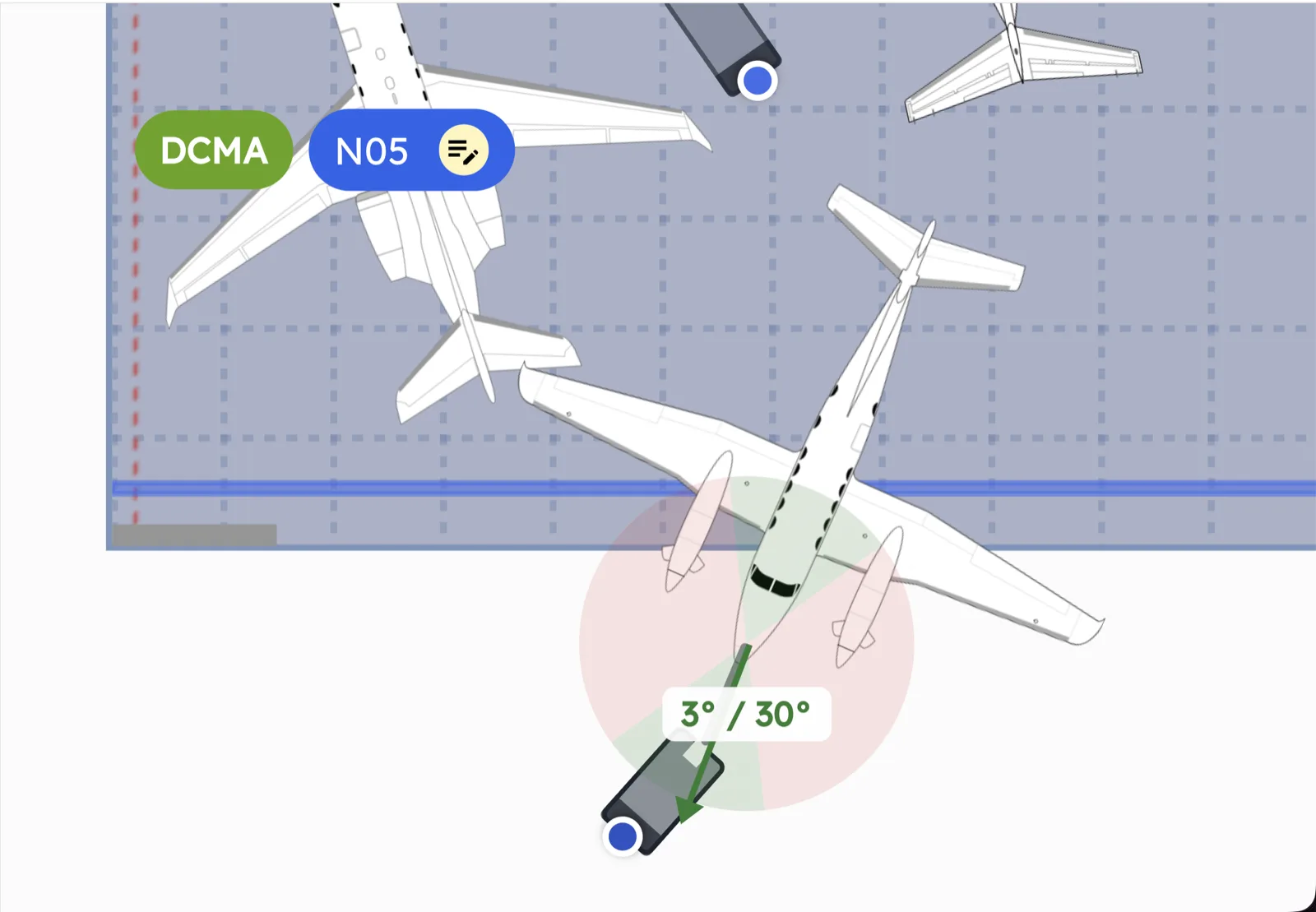
Max tow limit: 65°
- Damage report
- Walk around
- Wing walkers
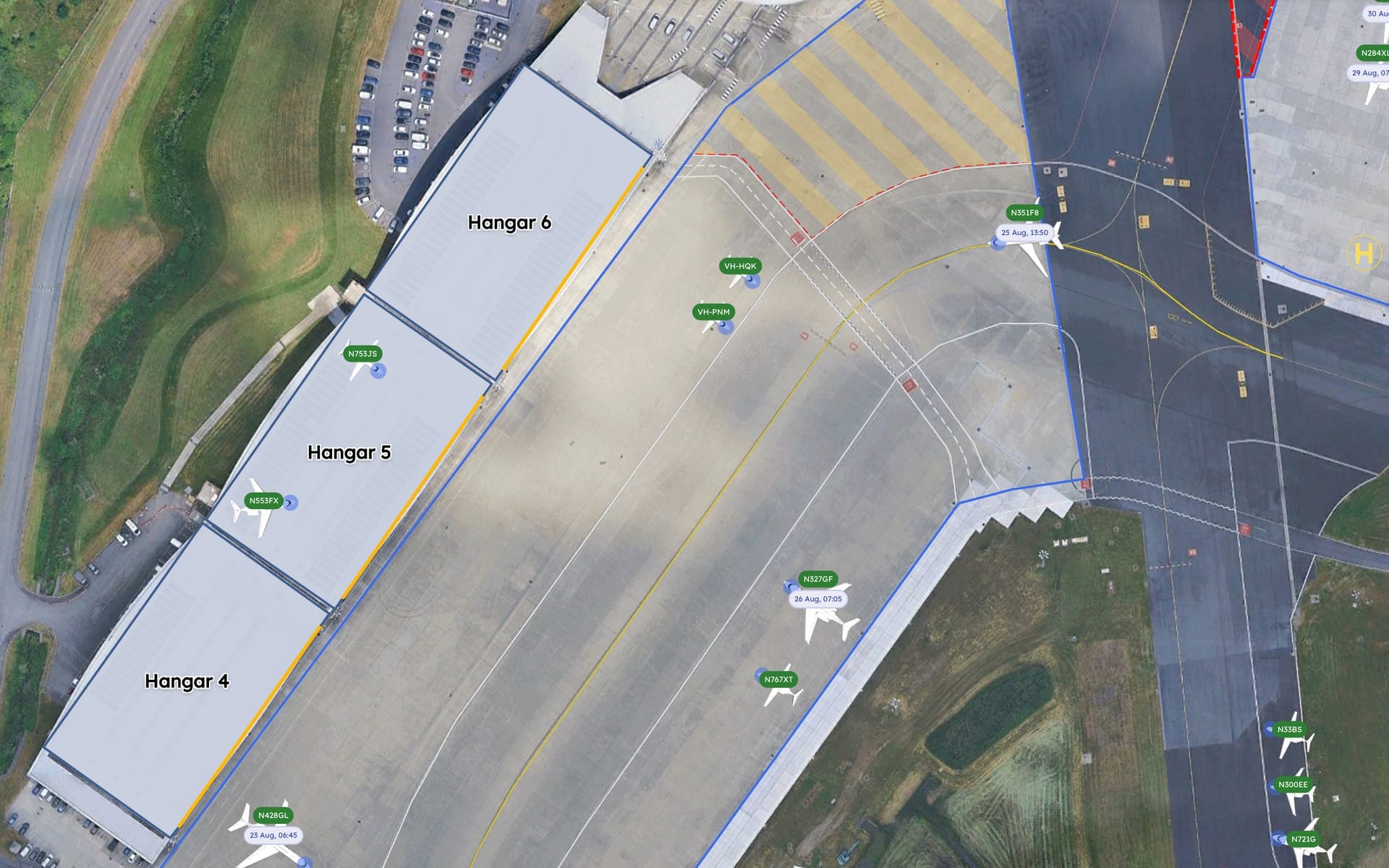
ADS-B- 1N100LR3 Sep, 08:50
- 2N33BS2 Sep, 09:10
- 3VH-HQK2 Sep, 07:30
- 4N141RD1 Sep, 10:00
- 5N753JS31 Aug, 16:20
- 6VH-PNM30 Aug, 14:50
- 7N433GX30 Aug, 09:25
- 8N553FX29 Aug, 13:40
- 9N300EE28 Aug, 11:00
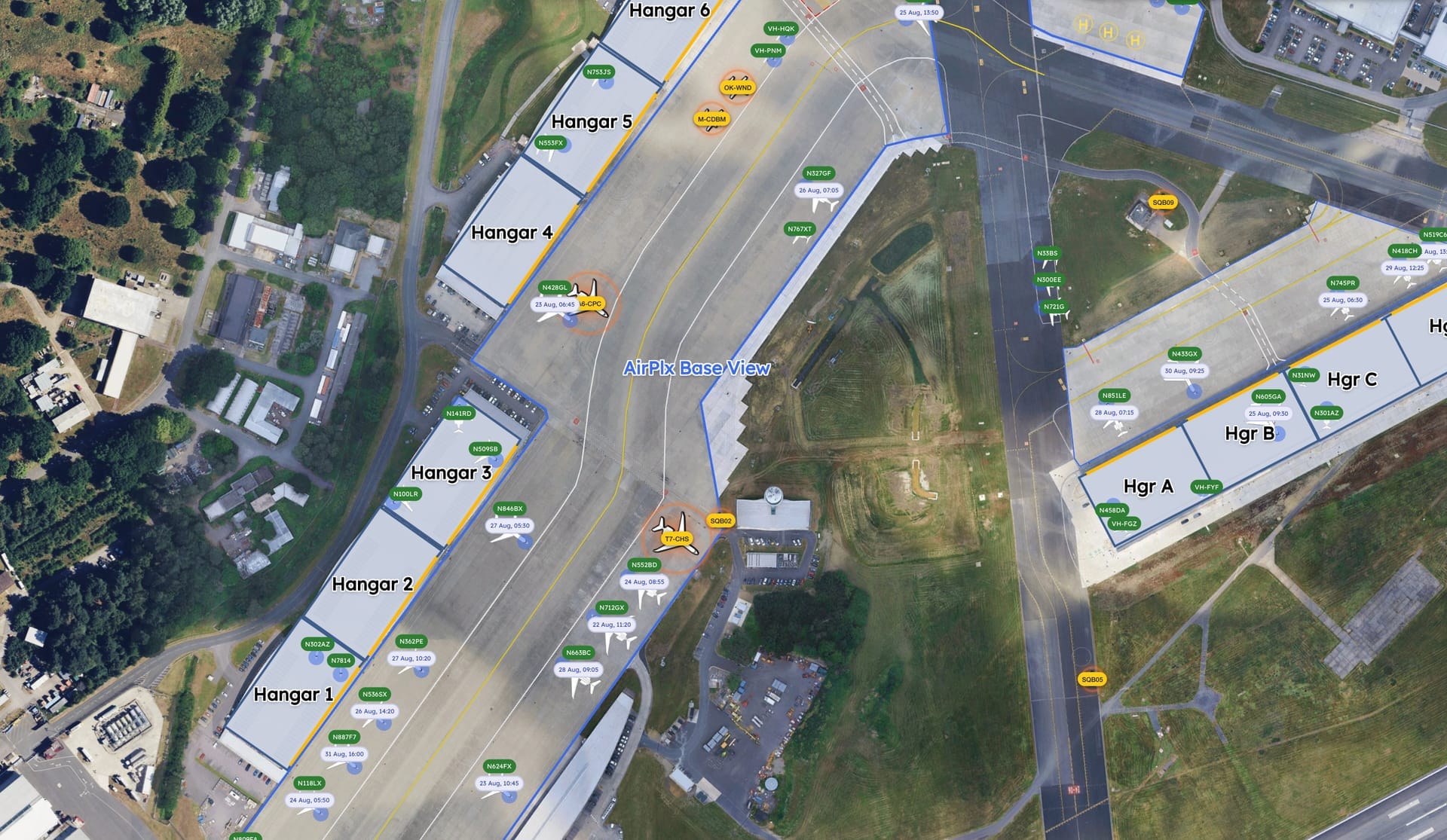
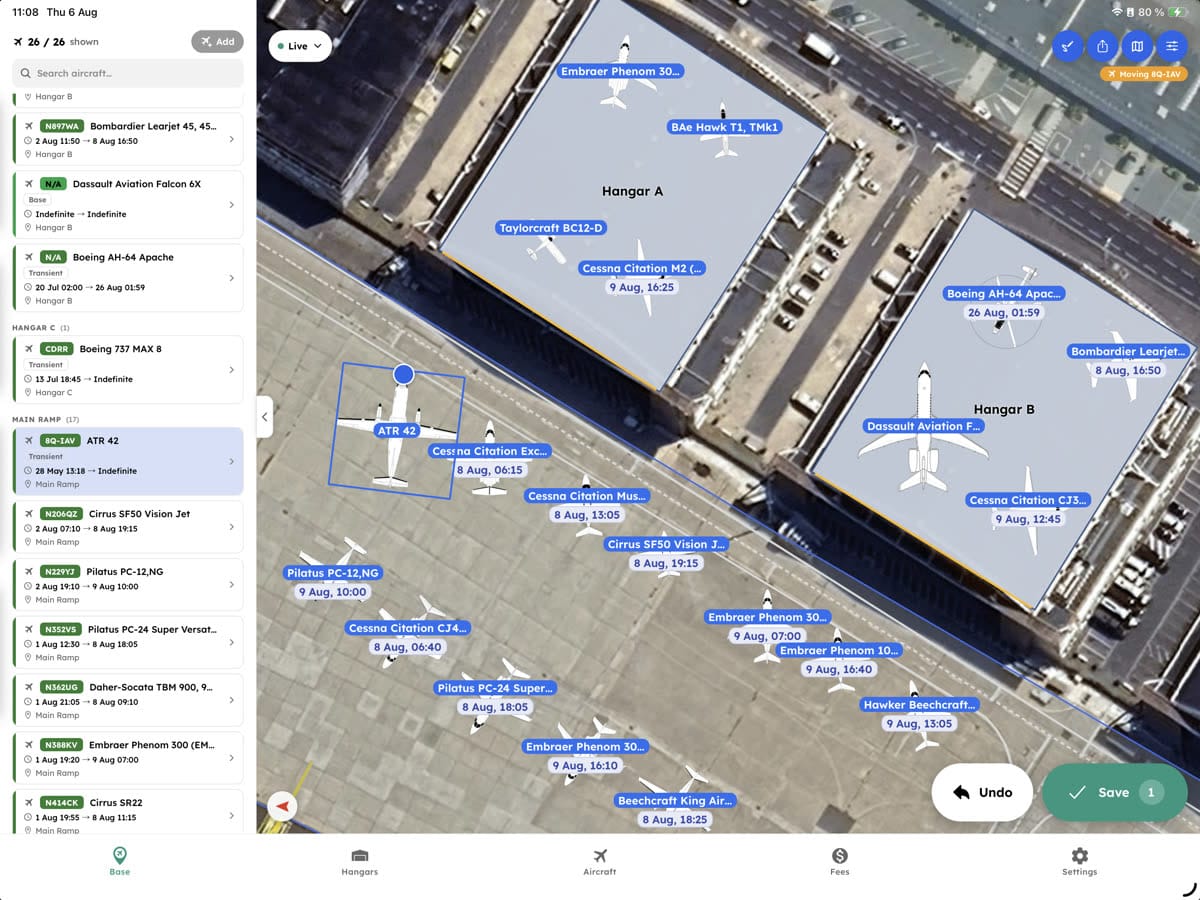
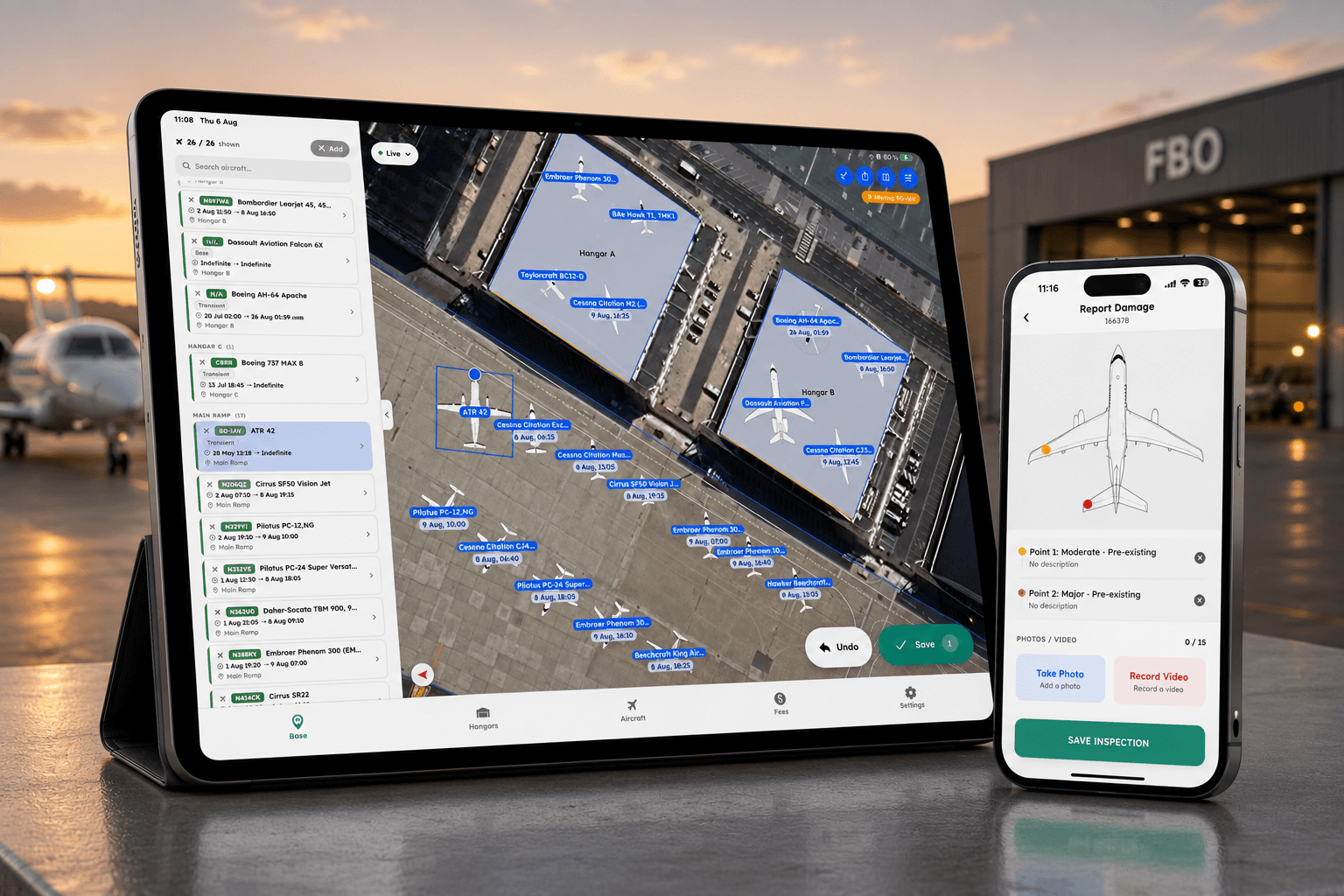
Base View, with AutoStack planning the stack for Hangar 5.
What operations say
Real results.
+10%
Nightly hangar revenue, from better use of the hangar they already had
Jet Aviation Milwaukee
“I didn't realize how helpful it would be for lining up aircraft. We don't have to guess anymore.”
“AirPlx helps us plan our ramps and hangars, especially for major events like the Super Bowl when we're handling a lot more aircraft.”
“AirPlx gives us one clear picture of every aircraft in our hangars, what's coming next, and where it will fit. We can confidently plan months ahead and adjust quickly when schedules change.”
“The time investment in hangar planning, that's probably cut it in half for me.”
“I was surprised how fast the whole team got on board. I thought I was going to get a lot of backlash, but they find it very user-friendly.”
“I spent about 10 minutes playing with it and felt like I had enough to operate a normal day.”
Arrival to departure
The complete picture of your base.
Every aircraft on your base, at every stage of its visit, in one place. Written down rather than remembered.
- Inbound trackingSee what's inbound, On radar in AirPlx
On radar
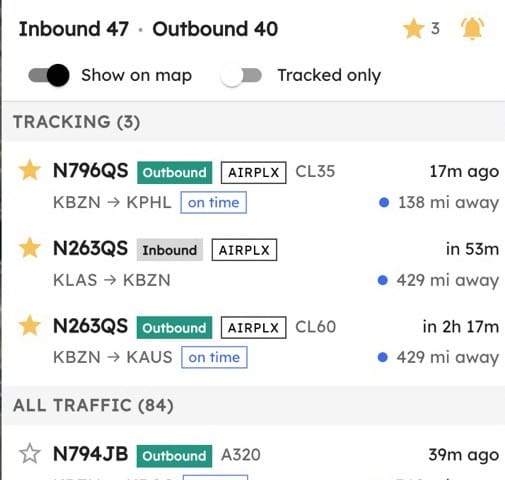
ADS-B and the flight plan pick up the inbound aircraft, hundreds of miles out.
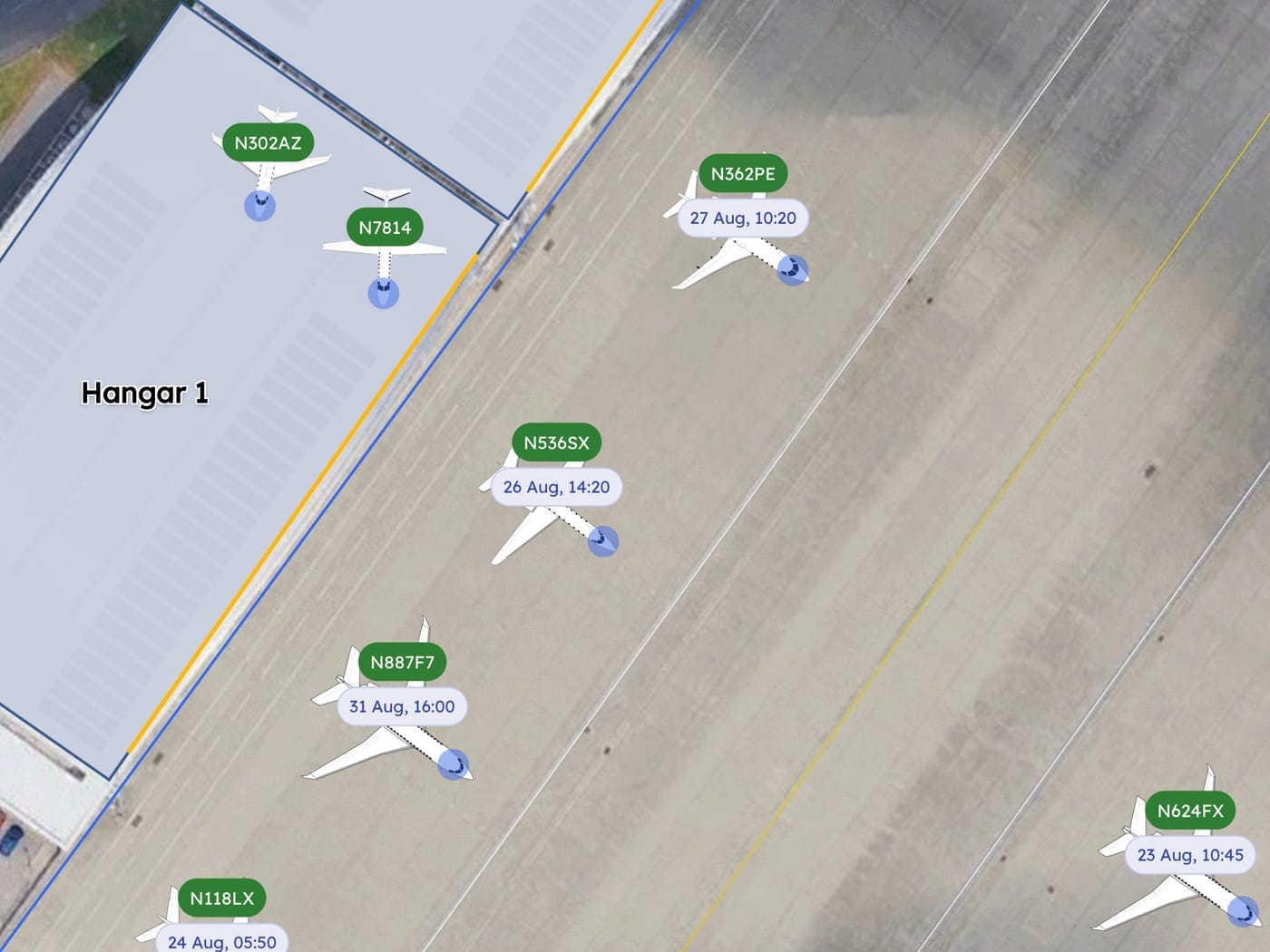
- AutoStackStack the hangar, Planned in AirPlx
Planned
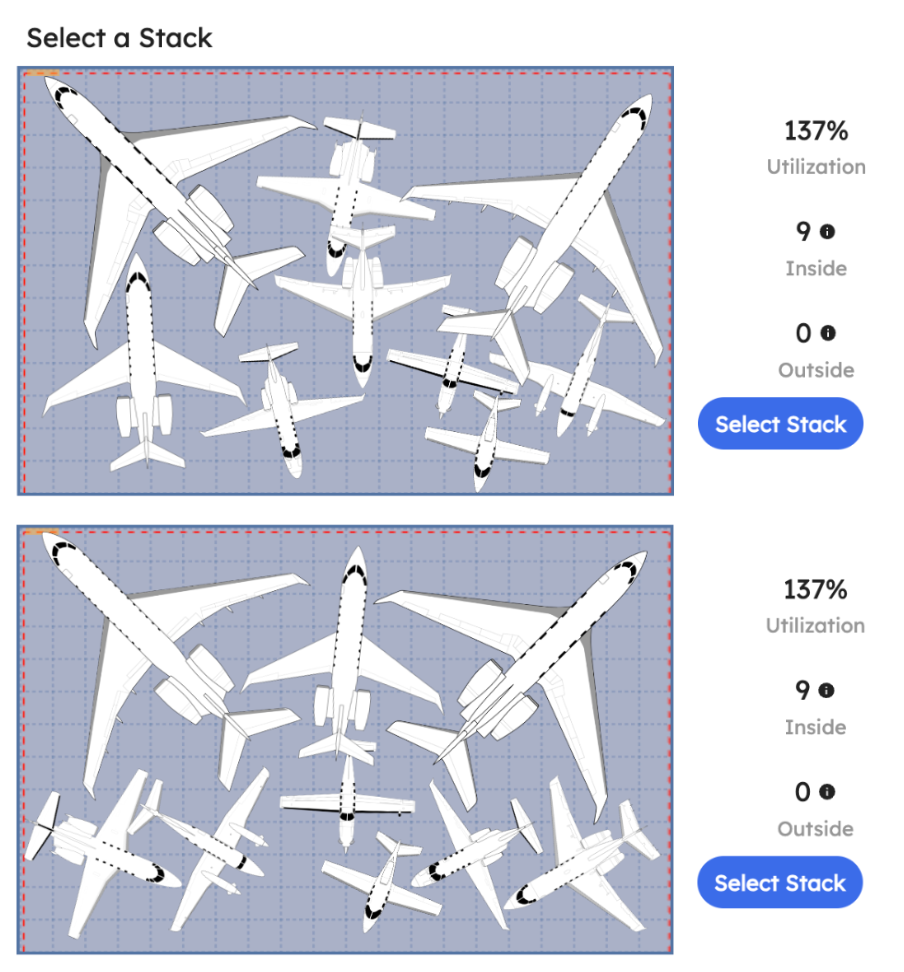
A hangar or ramp position is assigned to the aircraft before it lands.
- Tow safetyLimits and checklists, Moved in AirPlx
Moved
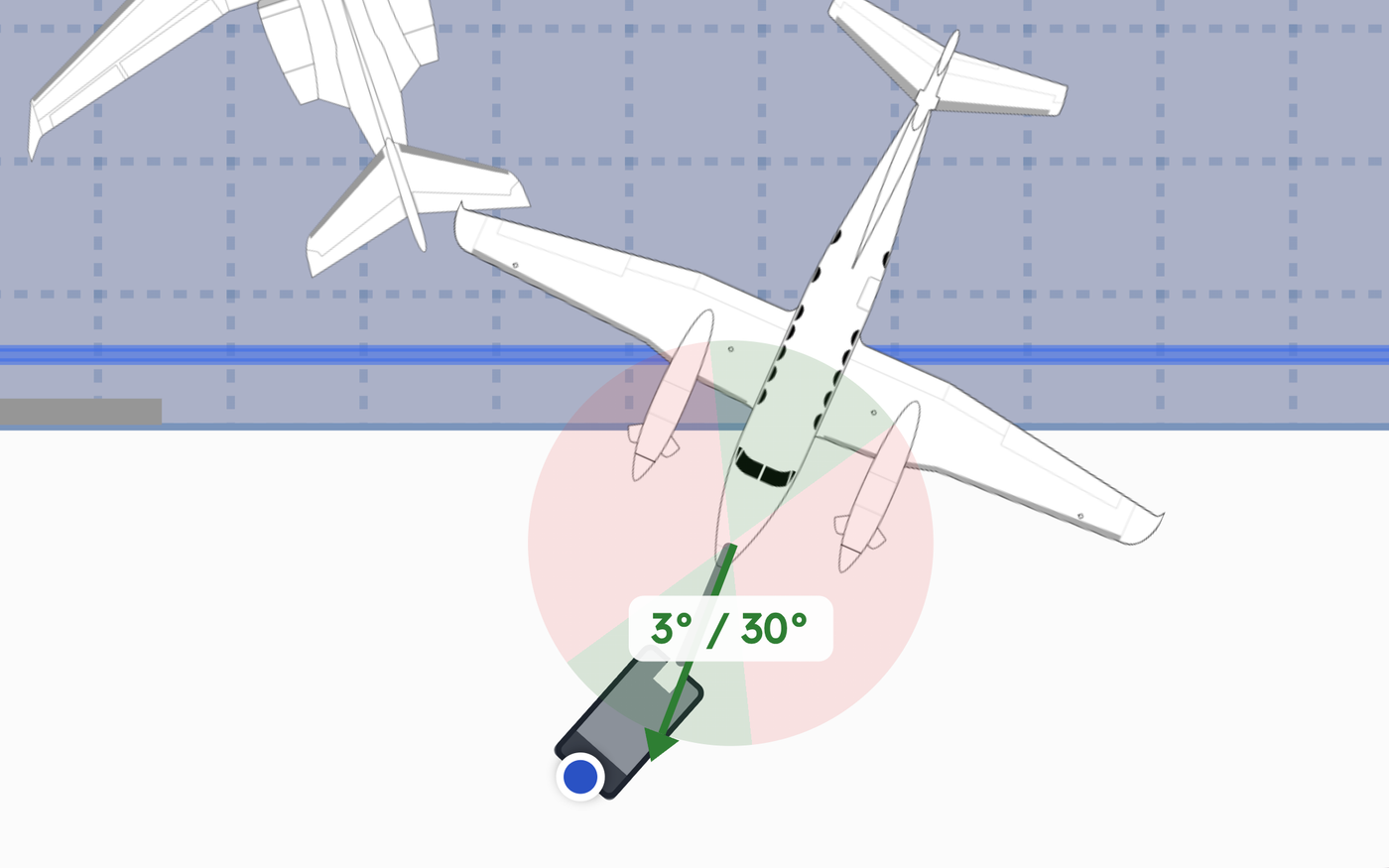
Every tow starts with a pre-tow checklist, and the move is logged.
- Damage reportsDocument damage, Documented in AirPlx
Documented
The aircraft's condition is photographed and attached to its tail number.
- Base ViewTrack operations, Current in AirPlx
Current
Where the aircraft is parked and what work is underway, visible to the whole shift.
- The day, closed outRead the record, Departed in AirPlx
Departed
The aircraft departs with a closed record behind it.
What AirPlx does
Where every aircraft is, and where it goes next.
Plan everything from arrival through departure. All in one place.
01 · On radar
How trips arrive
Flight tracking is built in, so an inbound shows up hundreds of miles out. Your scheduling system and manual entry fill in the rest of the trip.
02 · Planned
Planning and placement
Test the layout against real aircraft dimensions before anything moves.
03 · Moved
Movements and towing
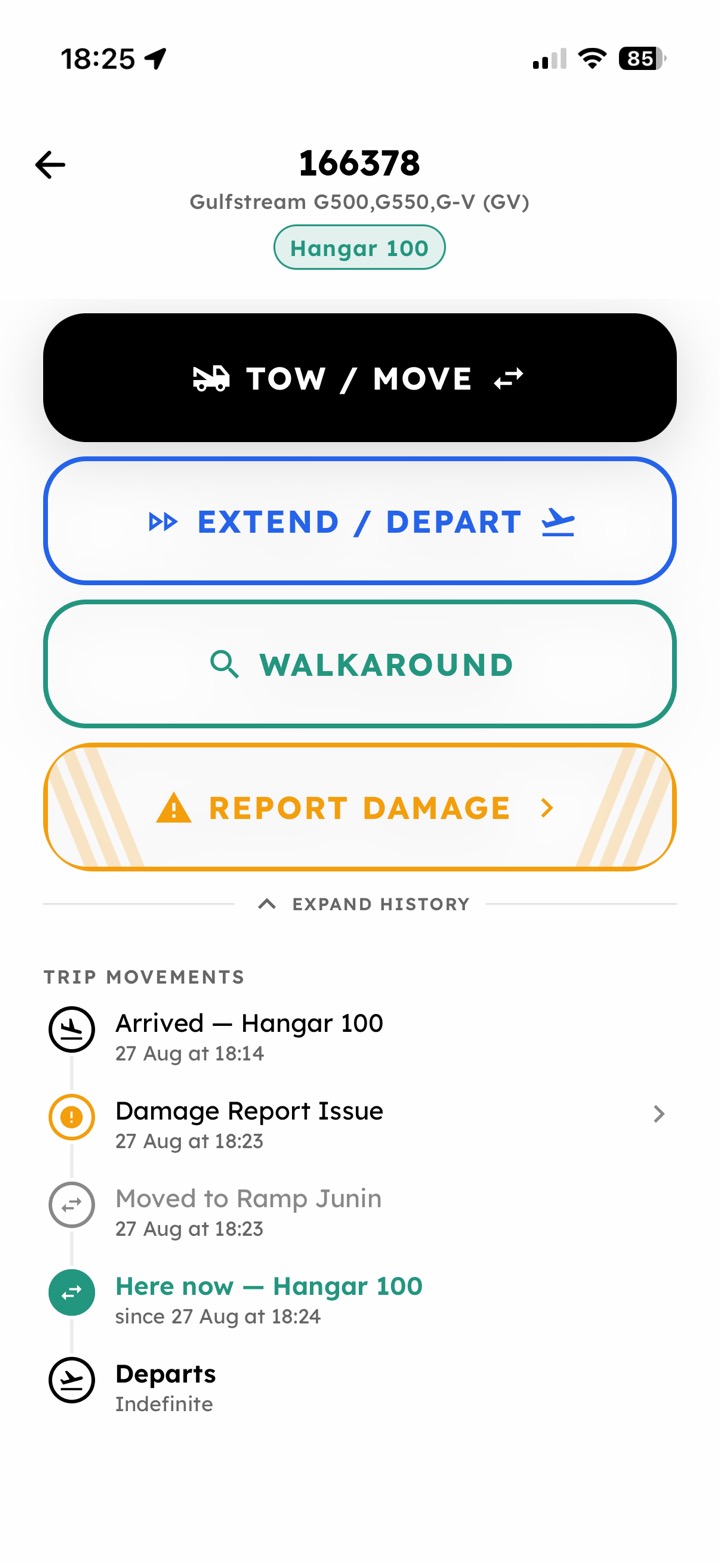
The checklist and the steering limits for that specific airframe, on the phone of whoever is doing the move.
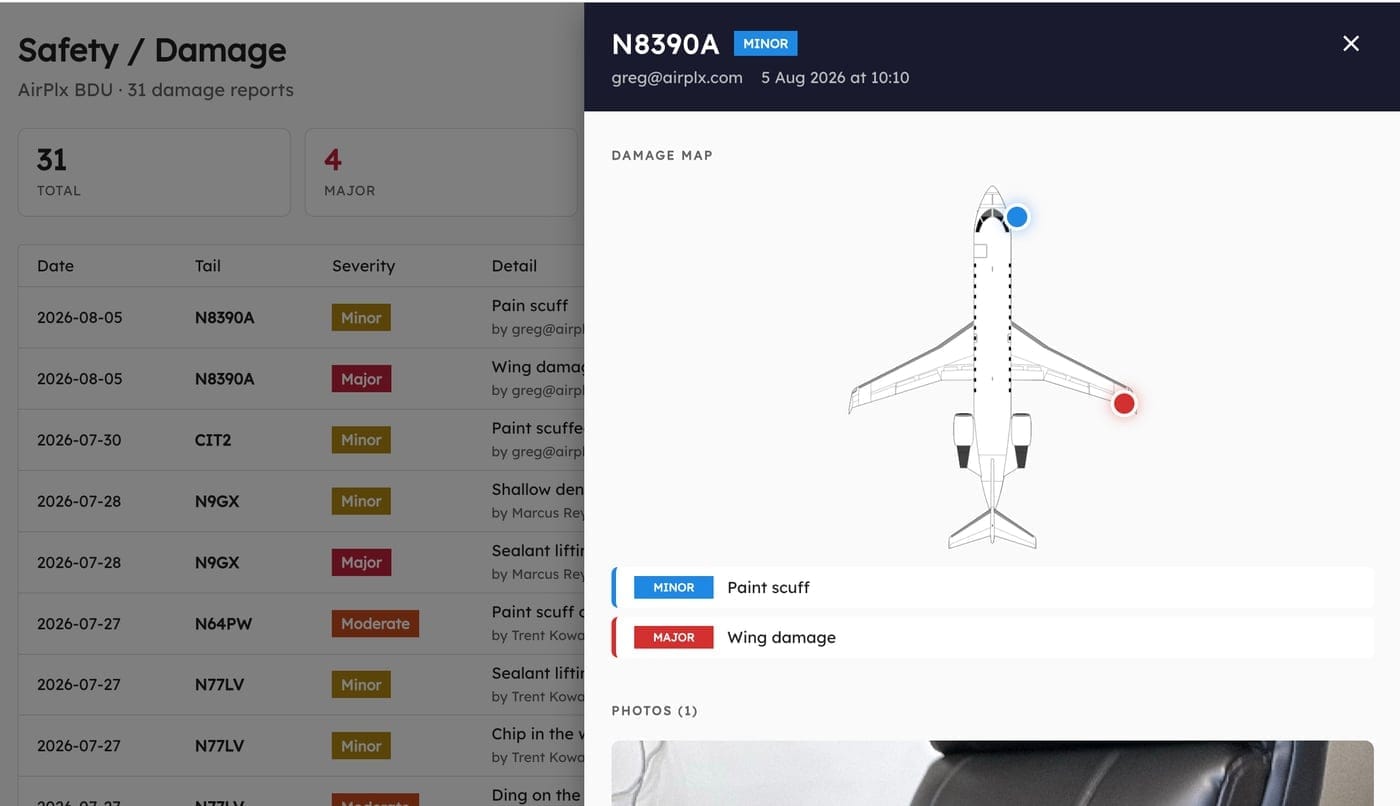
04 · Documented
Documentation and history
Condition captured at the aircraft, searchable against the tail afterwards.
05 · Current
Current location
The front desk and the line see the same picture, at the same time.
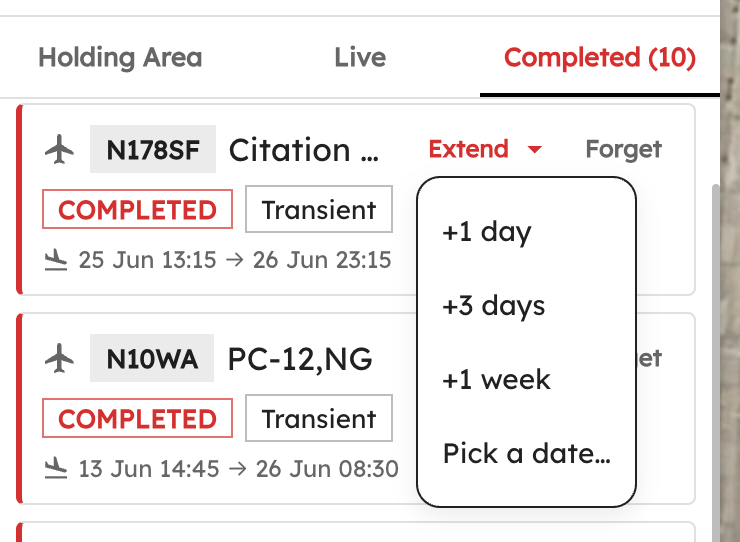
06 · Departed
Departure and reporting
The visit closes with a record you can answer questions from.
Live flight tracking
Nobody lands on you unannounced.
Base tenants don't call to say they're coming home. They just appear, and you find out when one is on final and the ramp is already full.
Multiple feeds, one view
FAA flight plans and live ADS-B, together.
Get notified before they land
Tails you track, and tails you have handled.
Already on your board
The aircraft arrives entered, not typed in.
Mobile
Built for the ramp, not just the office.
Tow checks, damage reports and location updates all happen out at the aircraft. The front desk sees them before the tech has walked back inside.
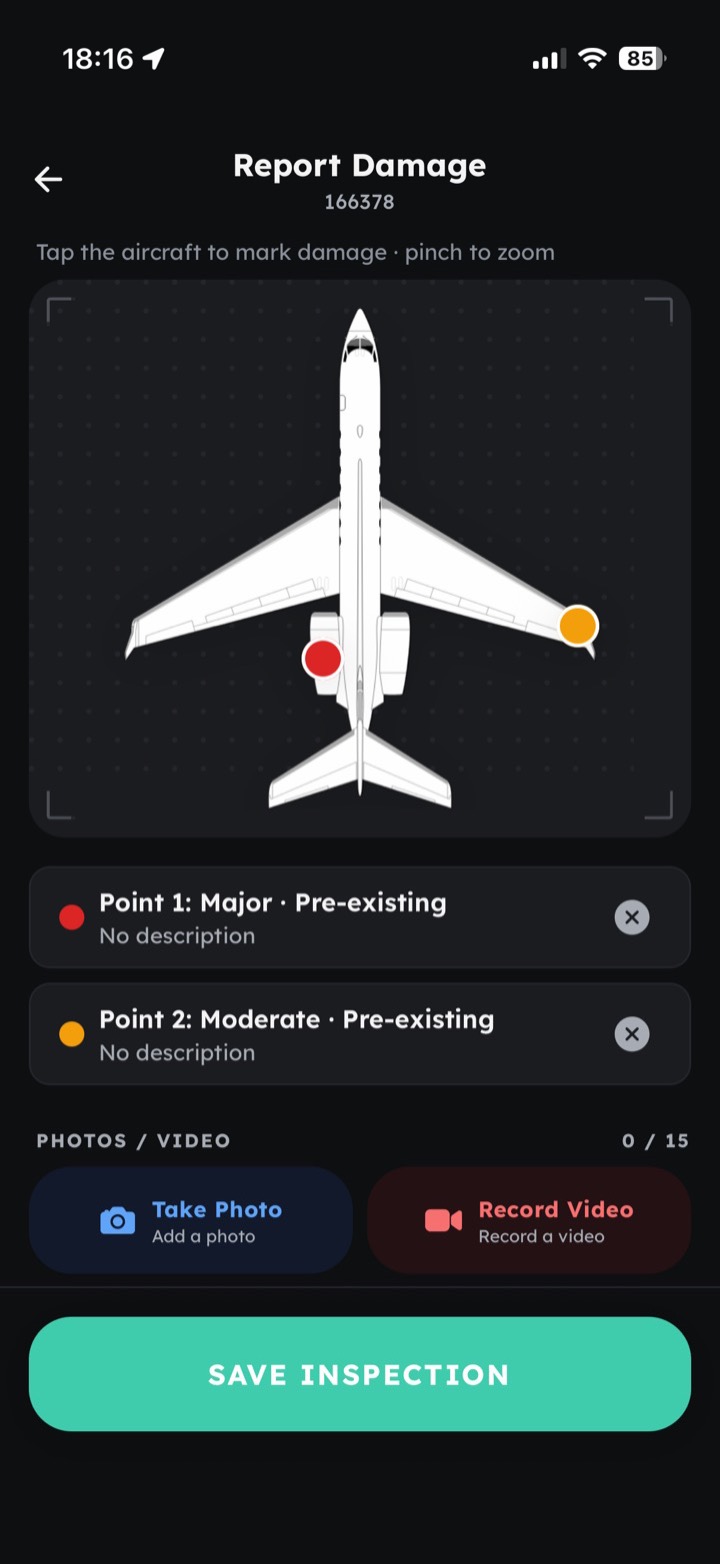
New damage report · N496X
Moderate · front tire damage
From the blog
Notes from the ramp

Product & Updates · 4 min
Introducing AutoStack 2.0
We threw out the old stacker and built a world model from the ground up. AutoStack 2.0 stacks in departure order so your team moves fewer aircraft, runs 50 times faster in under two seconds, and understands your hangar as a real building instead of an empty box.
Product & Updates · 5 min
What's New in AirPlx: August 2026
146 real tug models went into the library, the mobile app got walkarounds and damage reports you mark on the airplane, the Base View is a lot faster, and 24 new airframes landed.
Product & Updates · 3 min
Introducing AirPlx Mobile
AirPlx Mobile is here. Run Base View, tow checklists, walkarounds and damage reports from a phone on the ramp. Included with your subscription.
Book a demo
See how AirPlx fits your operation.
Bring us your busiest day and your most difficult hangar.