AirPlx for MROs
Say yes to the work your bays can take.
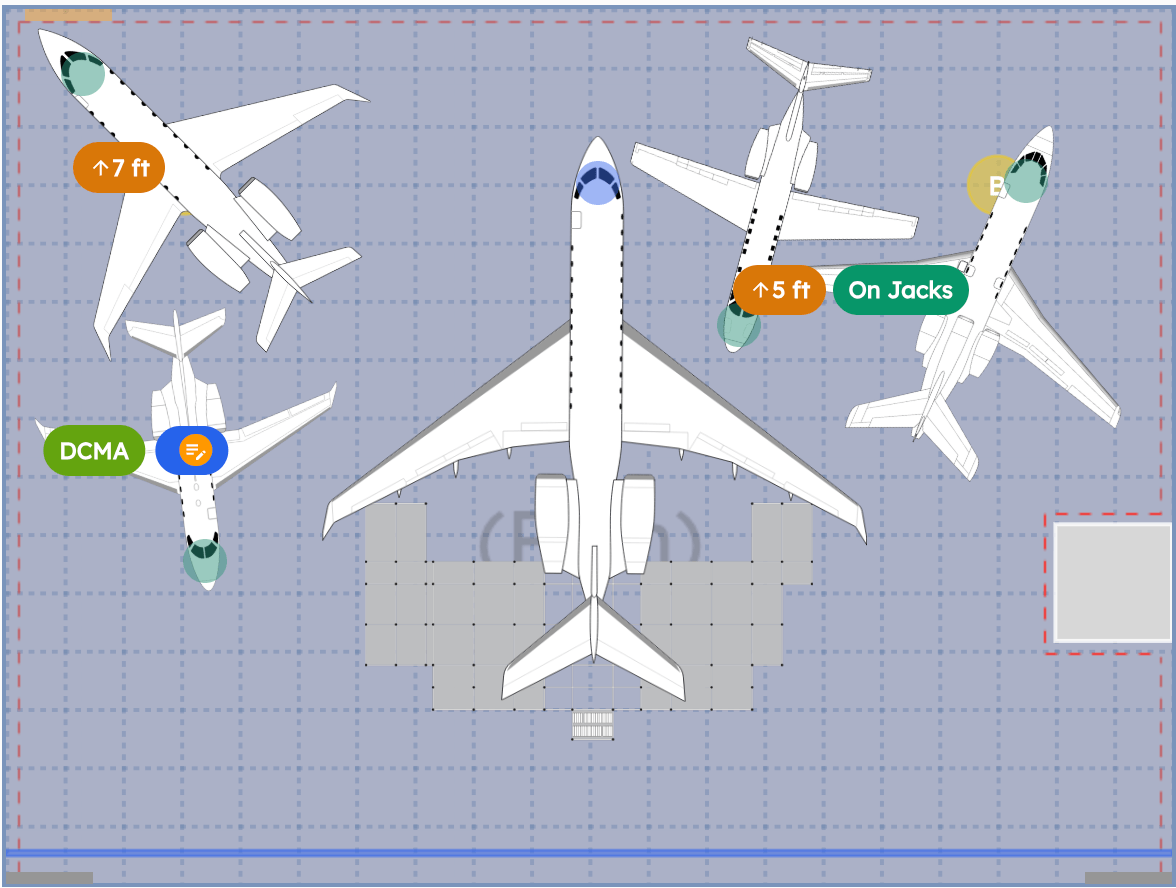
Long jobs, varied aircraft, constant repositioning. 'Can we take it in March?' stops being a guess and starts being something you can check.
The outcomeCapacity decisions get made against the real layout, not a bay count.
“It means we can get people with wrenches in their hands on the airplane faster, and that's how we keep our production shops efficient.”
How the flow works
What it looks like.
 01
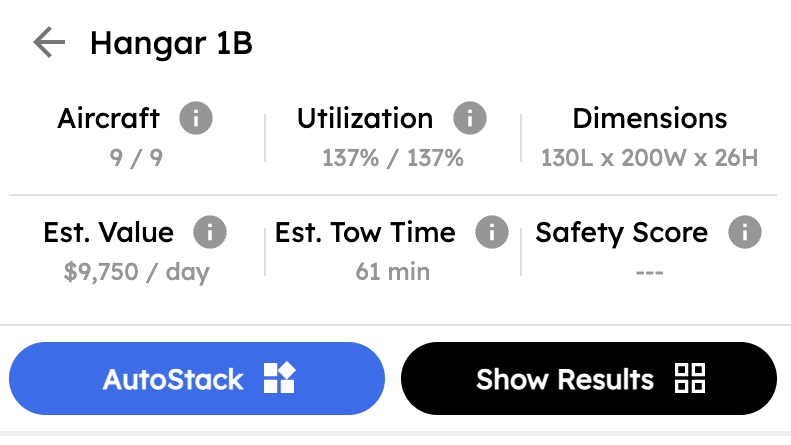
01Check real capacity
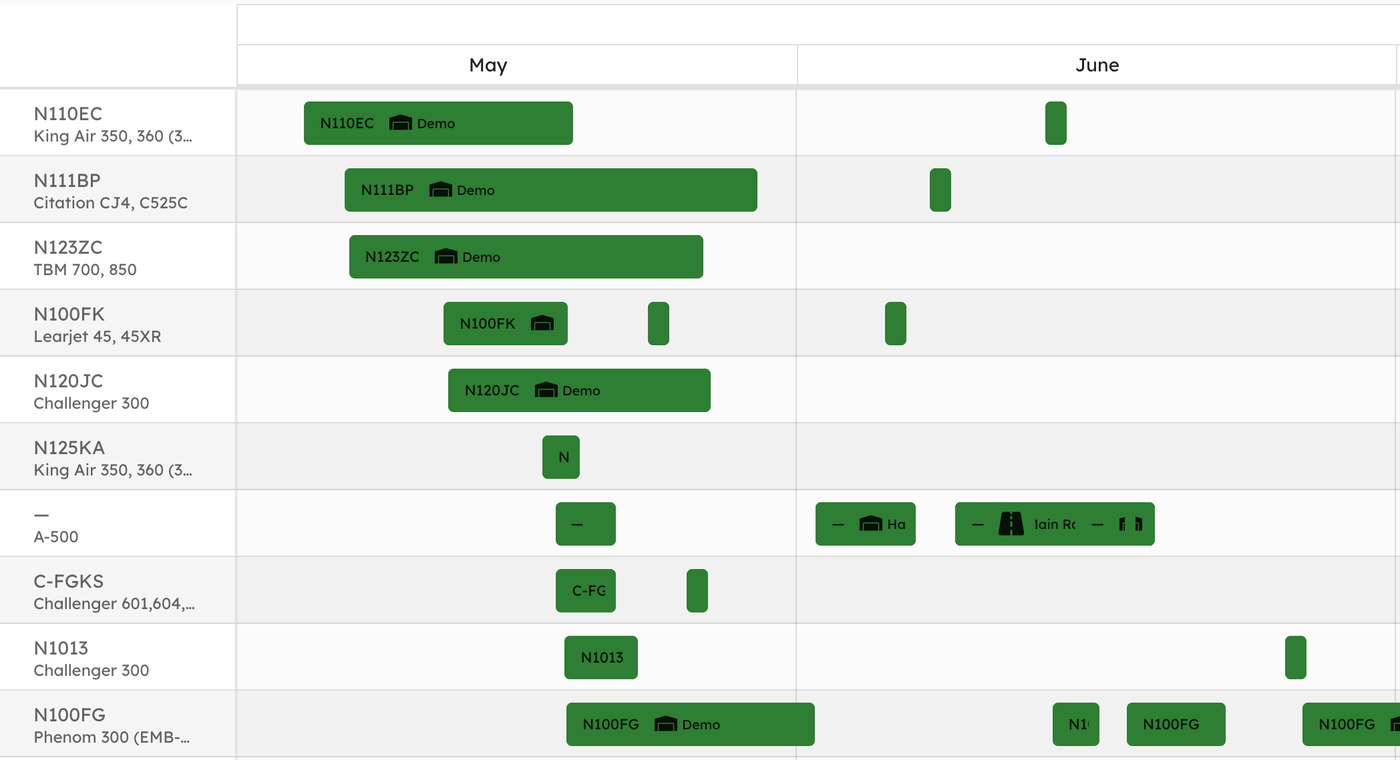
What's committed, for how long, and what's still free three months out.
 02
02Assign the bay
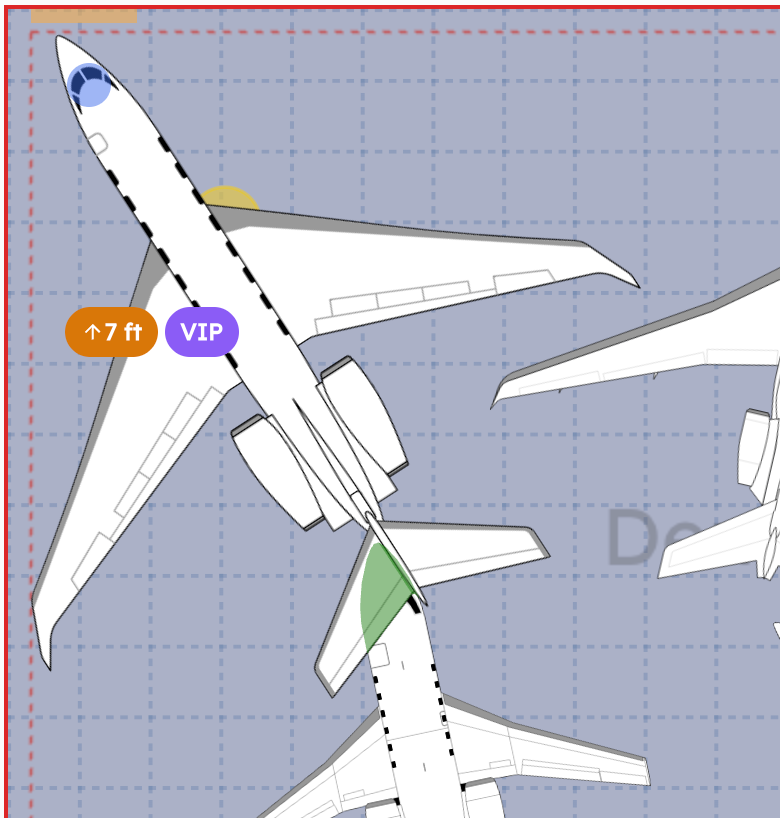
Place it where it fits, with room for the jacks, the stands and the clearances the job needs.
 03
03Move it as work progresses
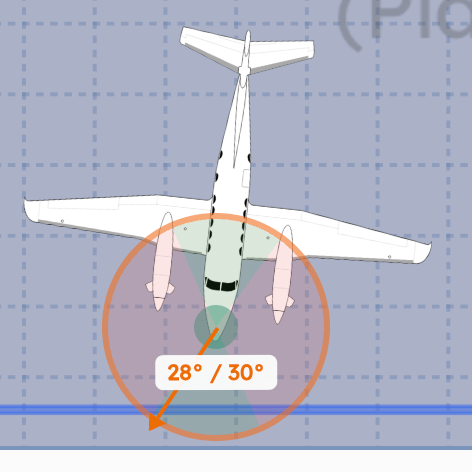
Long jobs move. Every reposition is planned, checked against tow limits, and logged.
 04
04Keep everyone current
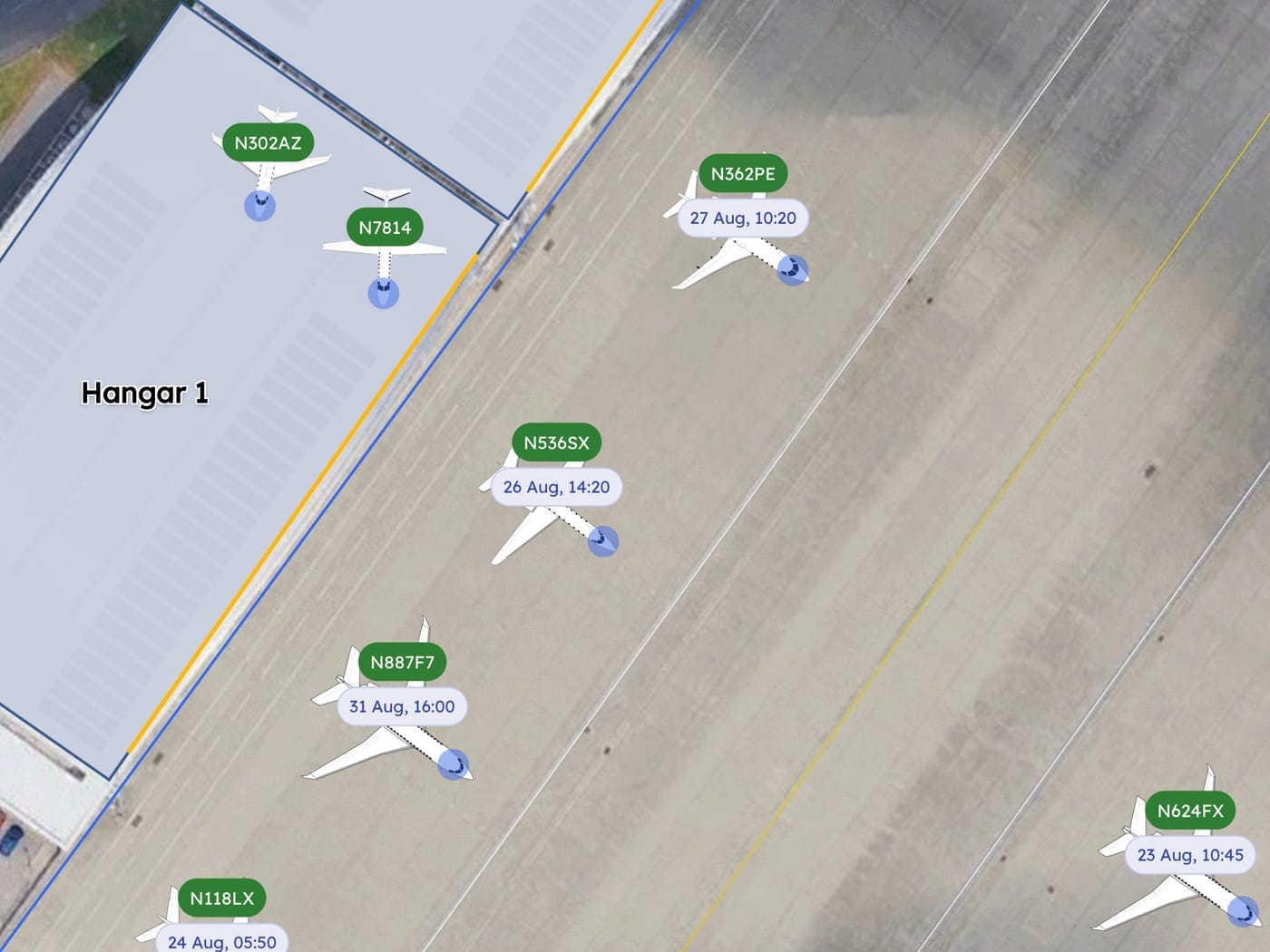
Planners, technicians and leadership all open the same live picture.
01Check real capacity
Know it fits before you commit the slot
Wingspan, length, height and tail clearance all get checked against the actual bay. The awkward part of MRO planning was never the airframes you handle every week. It's the one type a year that turns out not to clear the door, discovered by the crew who towed it up to the threshold.
- 1,000+ aircraft with verified dimensions
- Overhead obstacles and jacked aircraft accounted for
- Multiple hangars and bays planned together
- Custom aircraft/obstacles: No wings. No tail. No problem.
02Assign the bay
Find a spot that works: jacks, stands and clearances included
Whether the airframe fits is the easy half of a bay assignment. The rest is whether the jacks go under it, the stands go around it, and it can still come out when the job behind it finishes six weeks later. You can see all three while you're choosing.
- Stands and jacking equipment given room around the aircraft
- Door height and column positions part of the decision
- Departure order checked, so nothing is trapped behind
- The assignment visible to the floor, not just the planner
03Move it as work progresses
Repositioning that does not depend on who is on shift
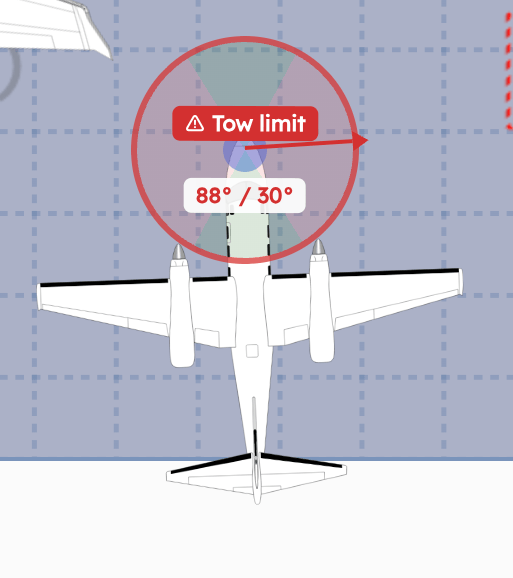
Aircraft in long-duration work get moved over and over. Every move carries the checklist and the tow limits for that airframe and leaves a record behind it, so a jet that's been in the shop since March still has a complete movement history in May.
- Aircraft-specific tow checklists and limits
- Every reposition logged against the aircraft
- Movement history across the whole job
04Keep everyone current
Less dependence on one planner's memory
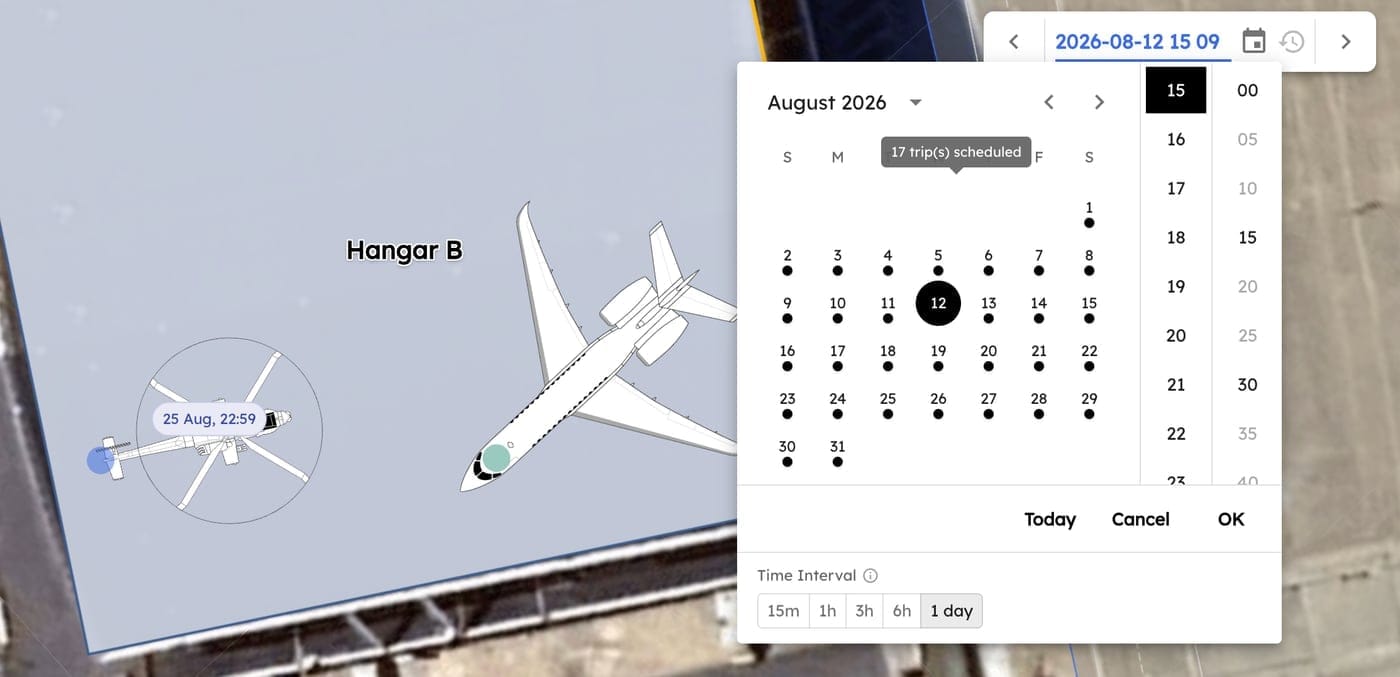
In most MROs the real capacity model lives in one person's head, and everybody knows whose. Putting it on screen means the shop keeps running the week they're out, and it means leadership can see what the planner sees without having to interrupt them to ask.
- Current location and status for every aircraft
- Reporting across aircraft and time on site
- Planners, technicians and leadership on one view
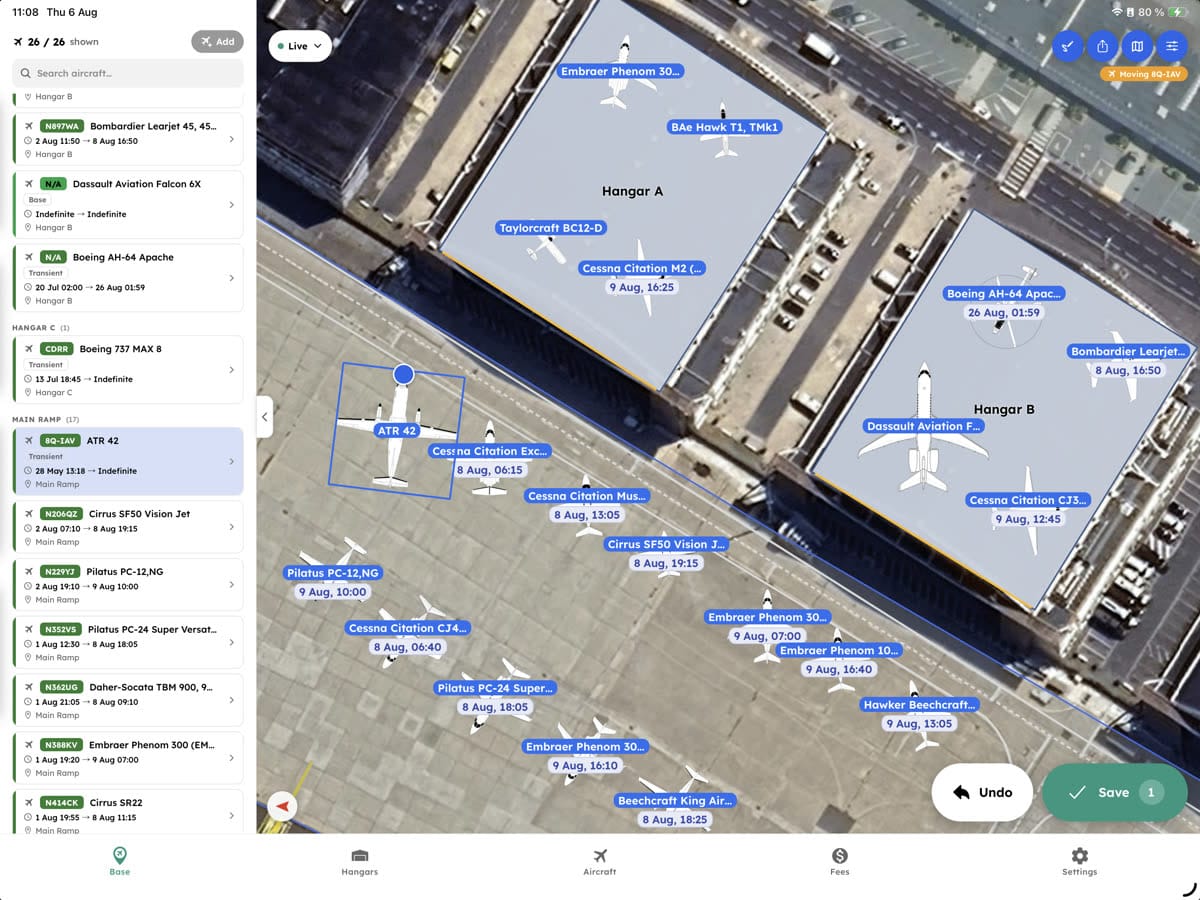
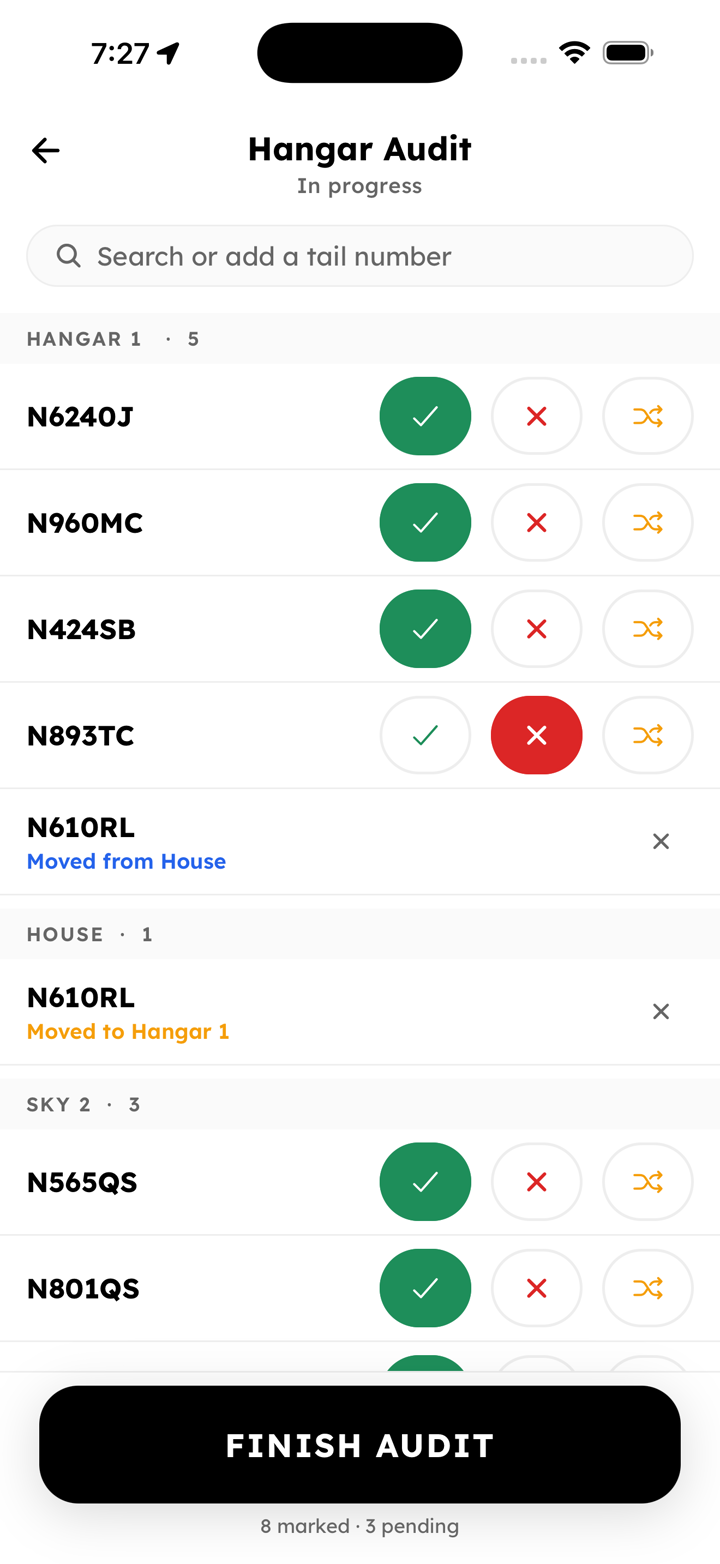
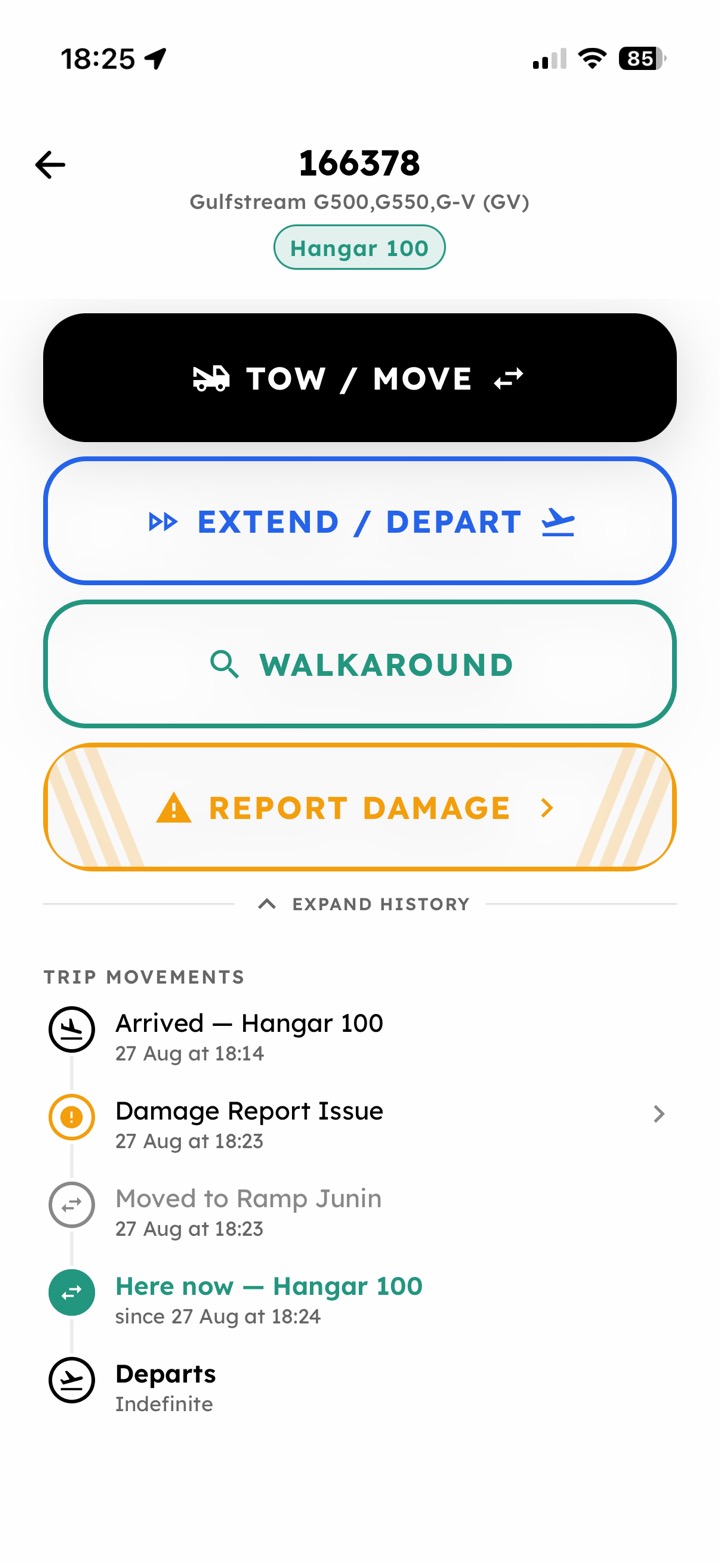
In the hangar
Make updates while you walk the floor
Long jobs move, and the record of where everything sits goes stale between one walk of the floor and the next. Marking what's where, and working a reposition against that airframe's tow limits, both happen on a phone in the hangar.
- Walk the floor and mark what is present, missing or moved
- Tow checklists worked at the aircraft rather than signed off afterwards
- Planners see the change without asking who moved it
What it replaces
Capacity planning by spreadsheet and recollection.
- Bay plans kept in a spreadsheet
- Capacity answers based on bay counts, not dimensions
- Repositioning decided verbally on the floor
- Walking the hangar to find an airframe
- One planner holding the whole model
- Discovering a fit problem when the aircraft arrives
Getting started
This is not a drawing tool.
We build your hangars and bays from your real dimensions and load the airframes you see, including the awkward ones. Every fit gets checked against those measurements. Nothing here is eyeballed on a canvas, which is the difference between this and the drawing package the last planner used. Most shops are working in days.
- Your bays measured, not approximated from a drawing
- As many hangars and bays as you run
- Planners, floor and leadership all included
- The unusual airframes loaded before you need them
Next
Frequently asked questions
How accurate are the 3D aircraft dimensions?
Every aircraft in our database has a 3D model with manufacturer-verified dimensions: wingspan, length, height, tail height, wing height, and ground clearance. This ensures precise fit verification for any bay. For aircraft not in our database, we source dimensions from official specs and add them same-day.
Can AirPlx handle multiple hangars and bays?
Yes. AirPlx supports unlimited hangars and bays within your facility. You can view them individually or together, and our optimization engine considers all available space when suggesting assignments.
How does AirPlx handle maintenance schedule changes?
When schedules shift, AirPlx automatically recalculates conflicts and highlights affected bays. You can drag-and-drop to reassign aircraft, and the system will warn you of any new conflicts before you finalize changes.
What about integrating with our existing MRO software?
AirPlx integrates with popular MRO management systems via API. We can sync aircraft schedules, customer data, and work orders. Contact us for details on specific integrations.
How long does implementation take for an MRO?
Most MRO facilities are fully operational within 1-2 days. We handle hangar setup, bay configurations, and team training. Complex facilities with multiple hangars may take slightly longer.
Can we track maintenance history in AirPlx?
AirPlx focuses on space planning and scheduling rather than detailed maintenance tracking. However, we integrate with MRO management systems that handle work orders, parts, and maintenance history.

Book a demo
See it working on your bays.
Pick the job you're least sure you can fit. We'll configure your bays and give you an answer either way.