AirPlx for FBOs
Run the whole operation from one picture.
Your transients and your tenants, the hangar and the ramp, the front desk and the line. One current view of the base, and everybody's working from it. Today most of that lives on a whiteboard, in a group text, and in one person's head.
The outcomeEvery shift starts knowing where each aircraft is and what the last shift did about it.
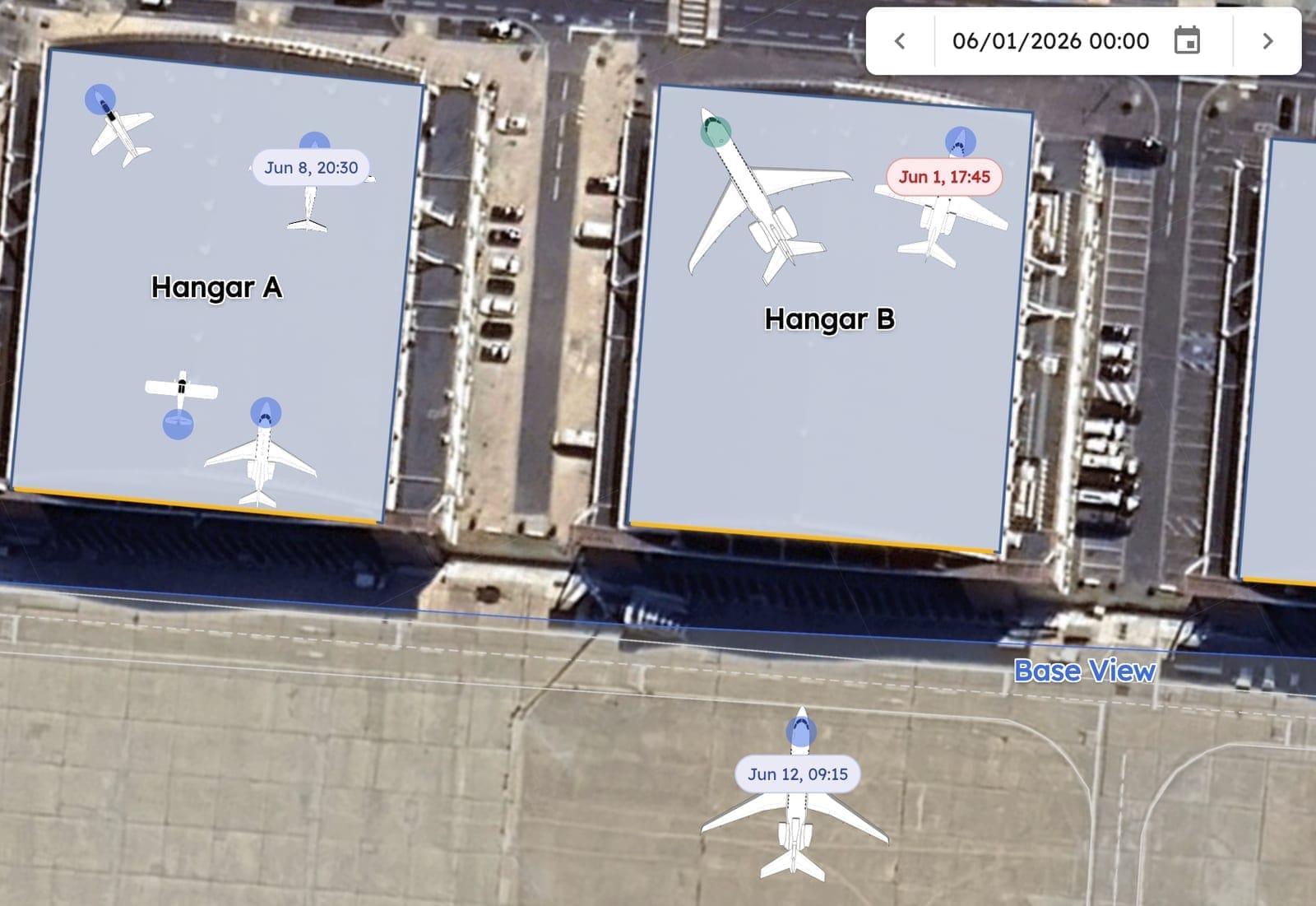
“Since we started using AirPlx, our nightly hangar revenue is up just over 10%.”
A day at an FBO
What it looks like in AirPlx.
The same aircraft, from the call that it is inbound to the moment it leaves.
 01
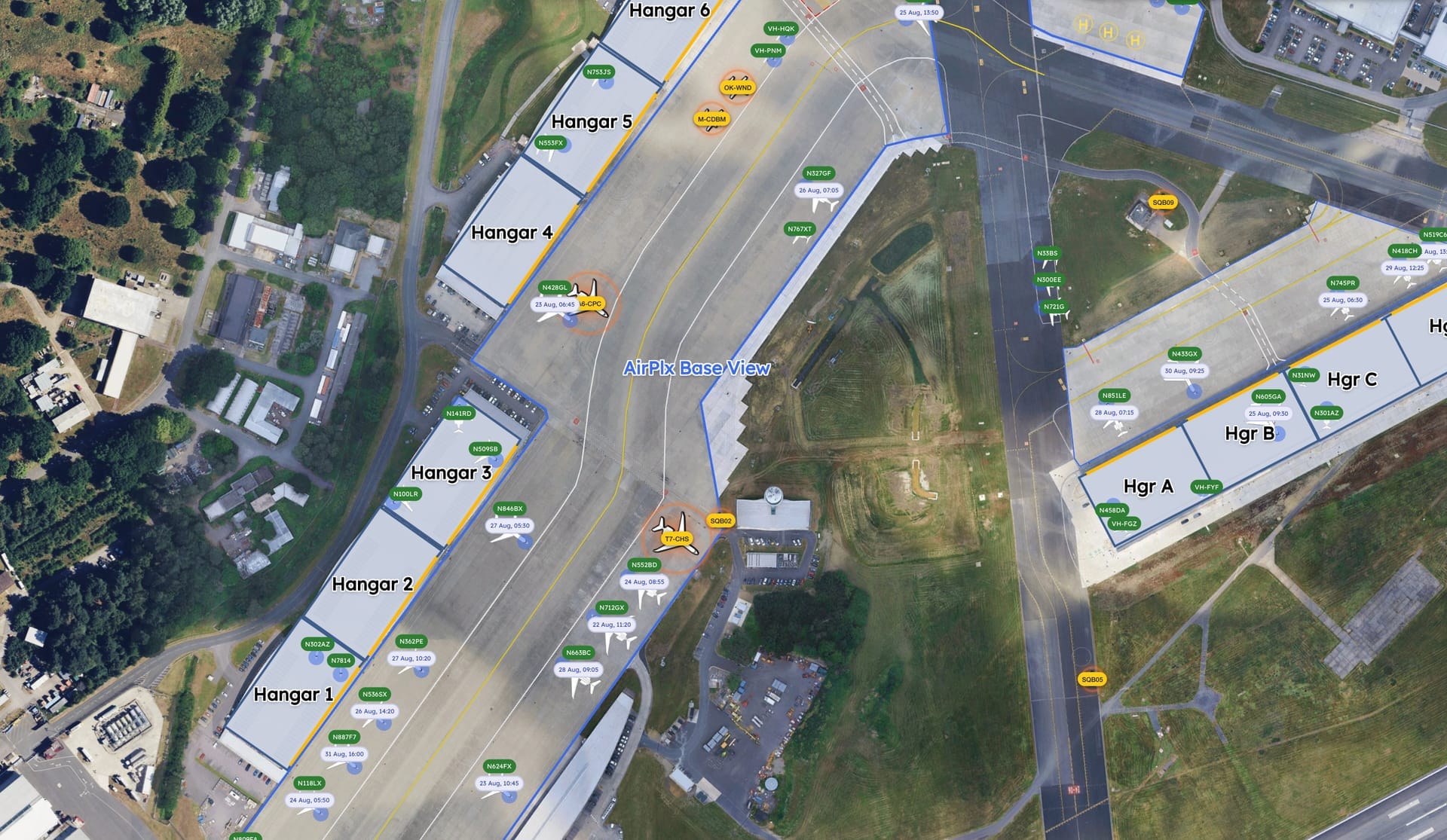
01Plan the day
Transient arrivals, tenants coming out, and the hangar space you've got. Positions go on before the rush starts.
 02
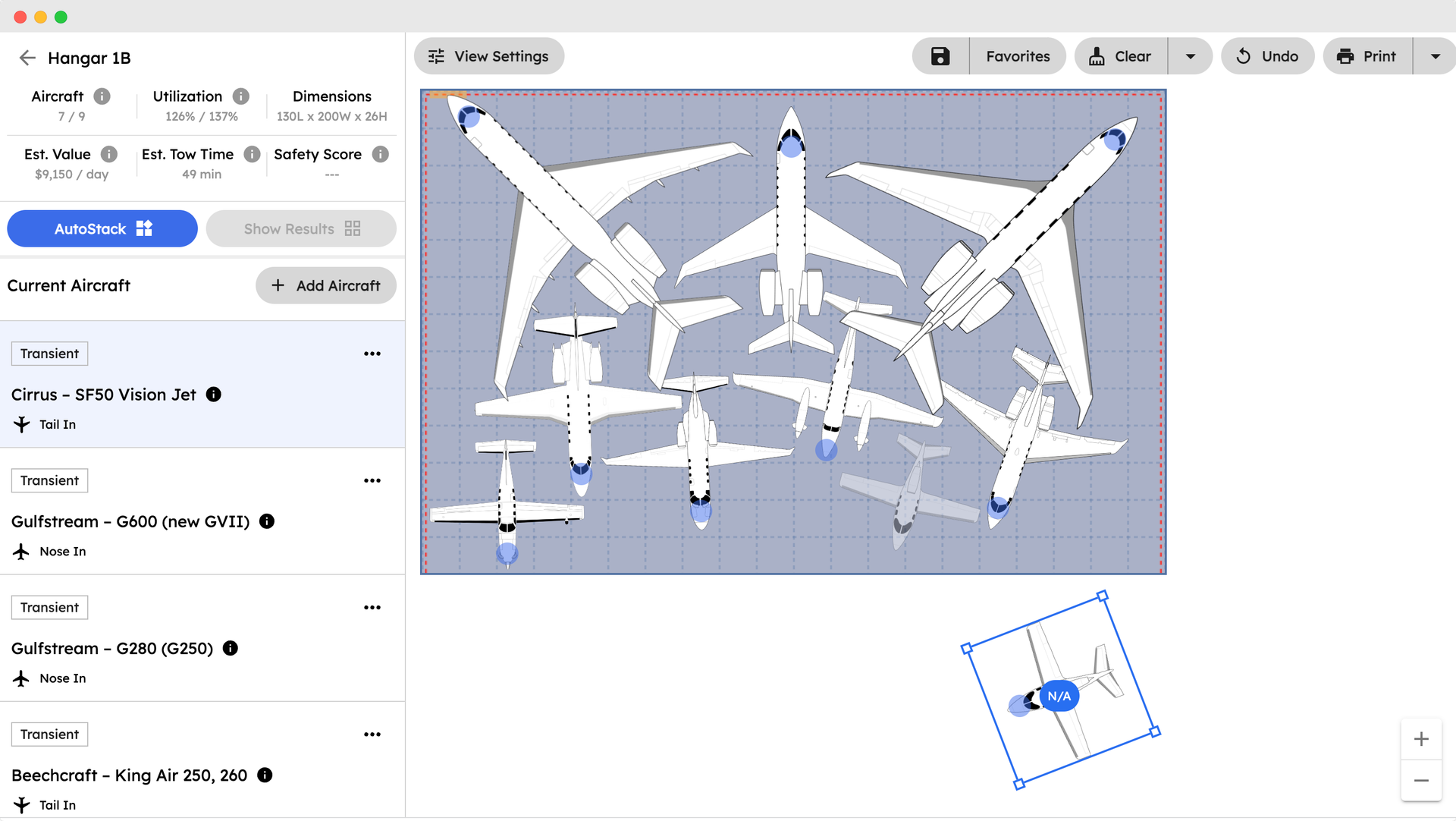
02Fill the hangar
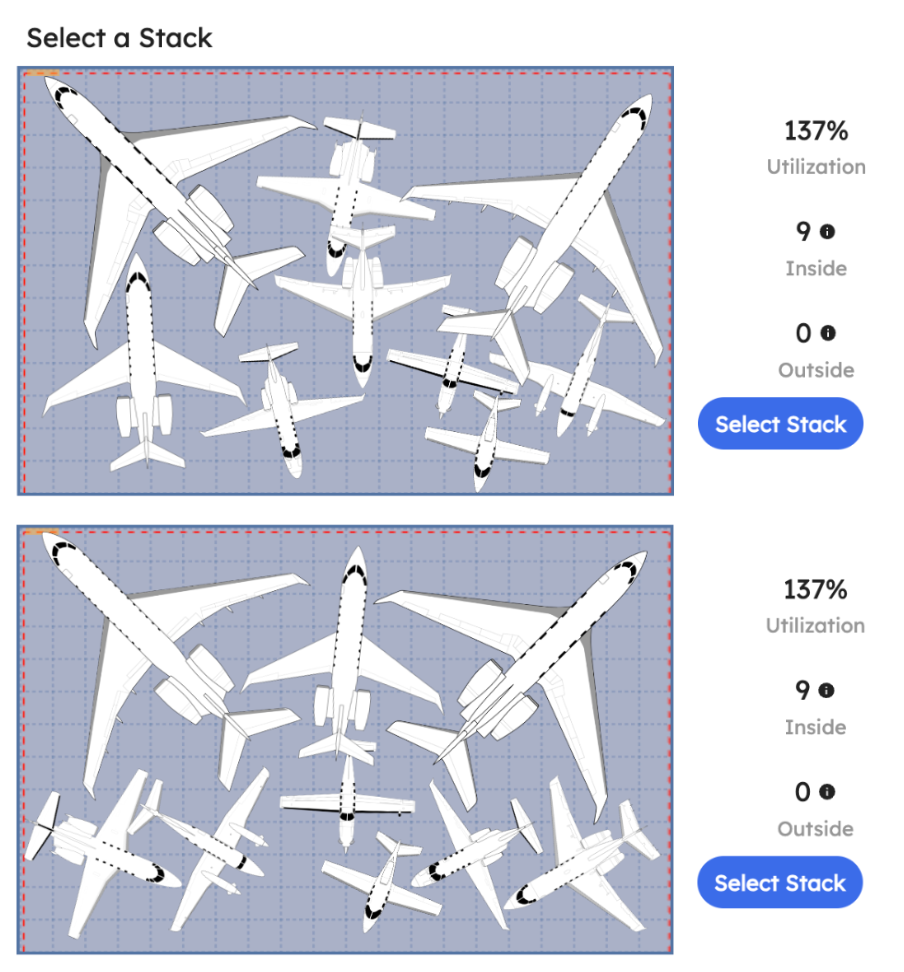
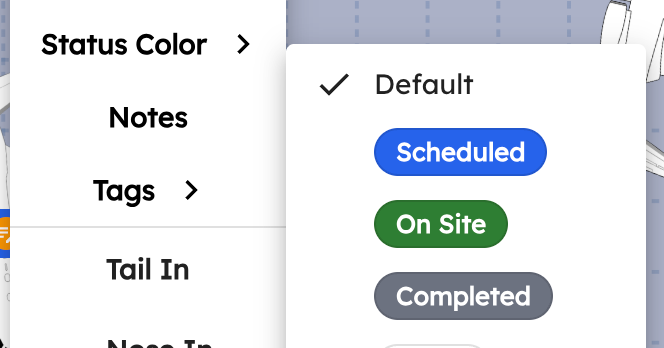
Stacked against real dimensions, the hangar you already have takes one more aircraft. That's the night's revenue.
 03
03Move it safely
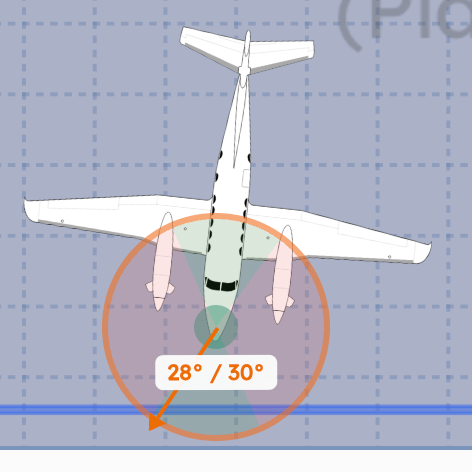
The line team tows against the checklist for that aircraft, with its steering limits in front of them.
 04
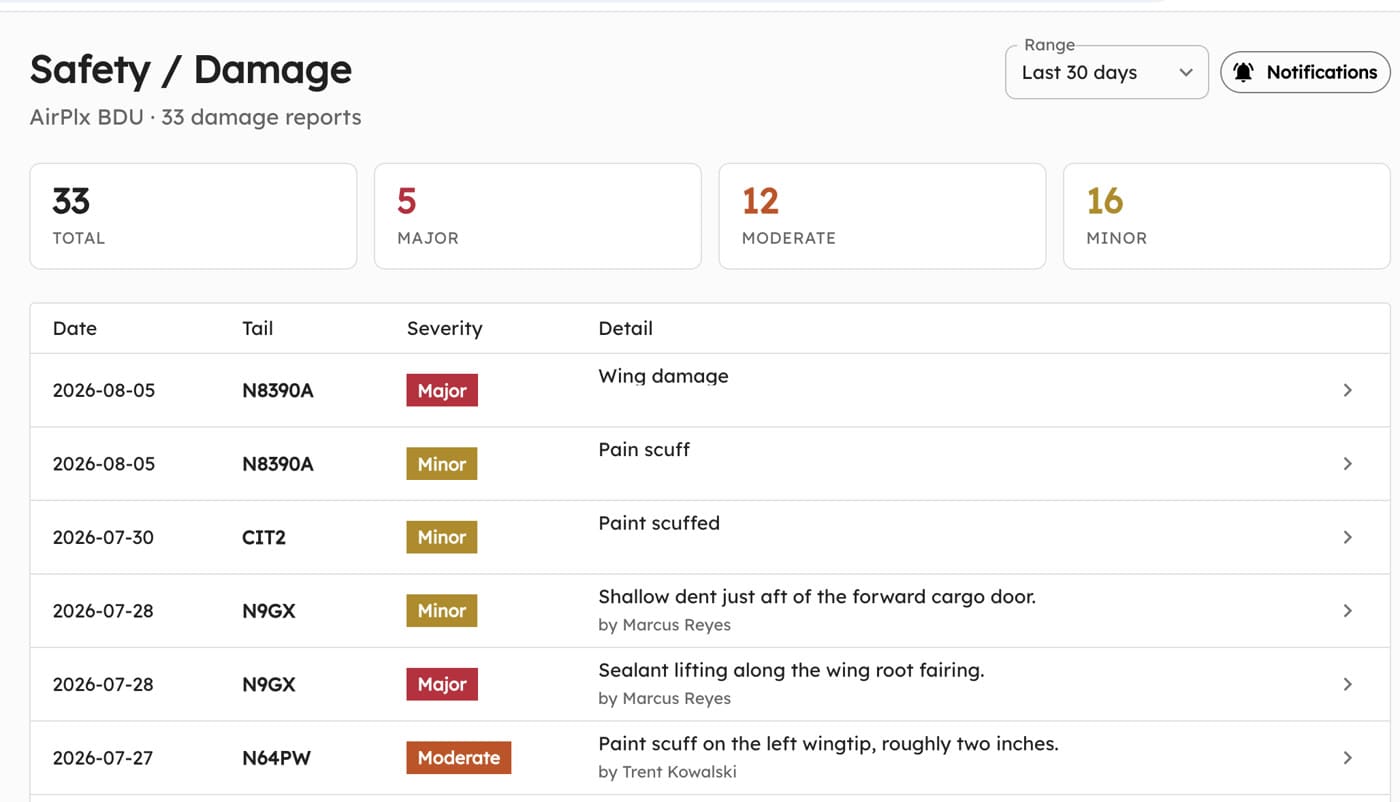
04Document condition
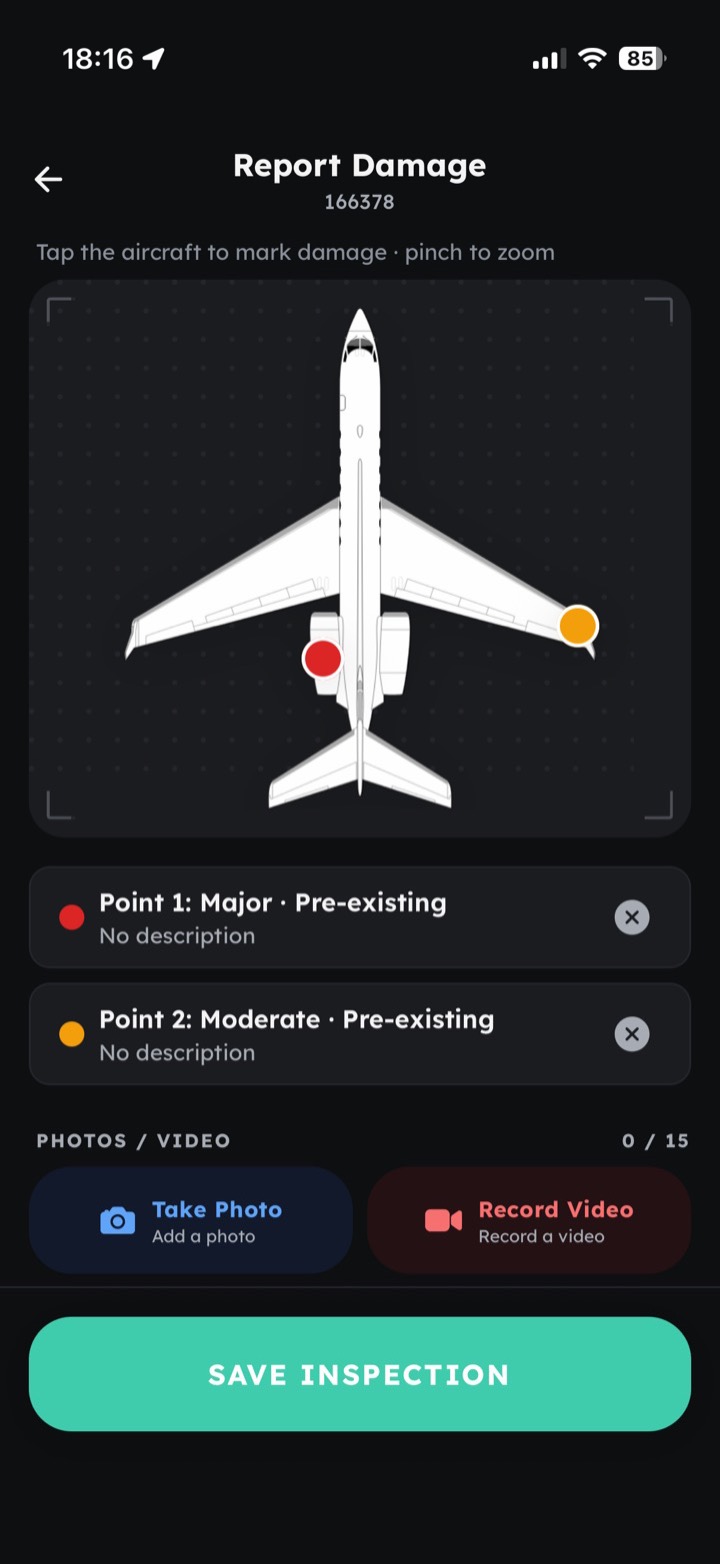
Whoever's standing at the aircraft photographs the damage that arrived with it, before anybody can call it yours.
 05
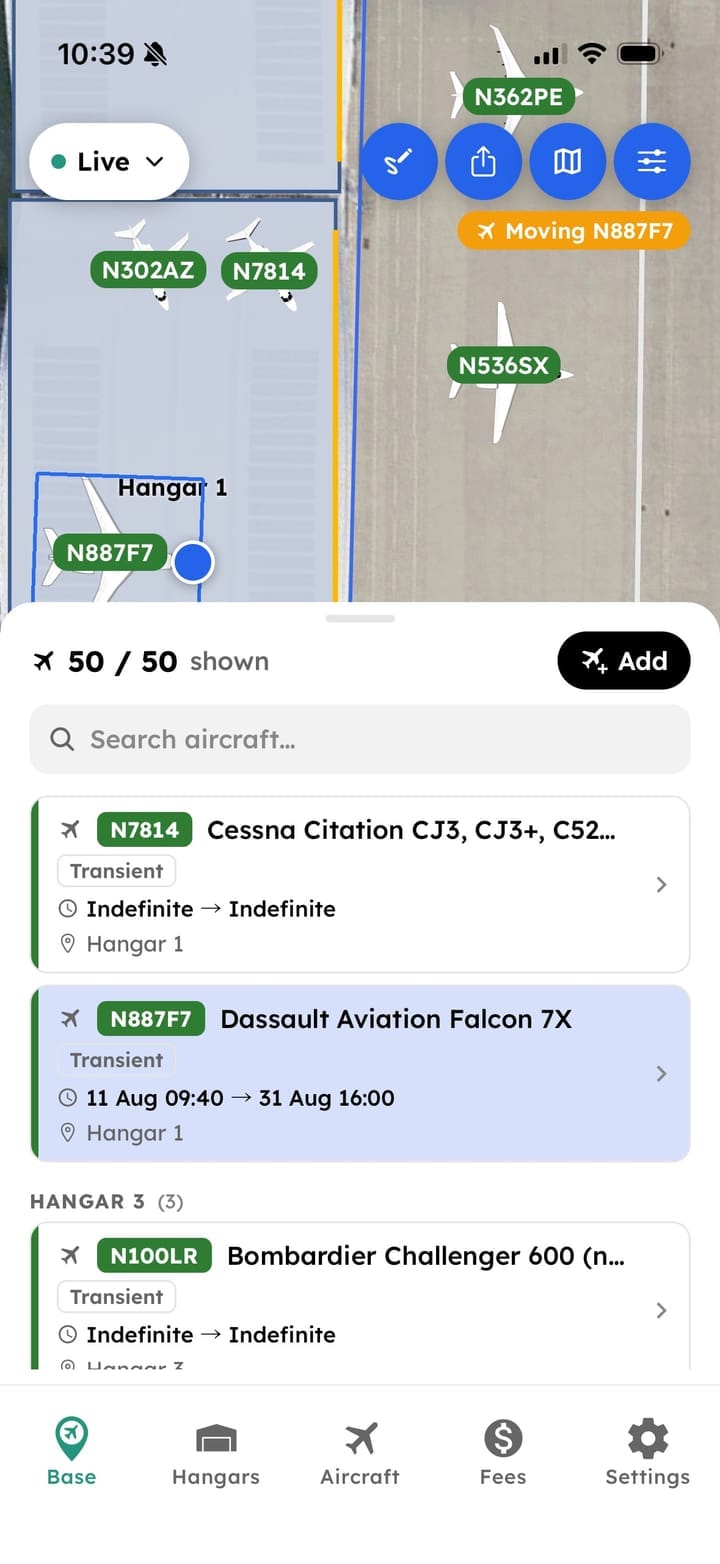
05Hand the shift over
Location, status and services are already current. Nobody gets briefed from memory.
01Plan the day
Transient and tenant aircraft, planned together
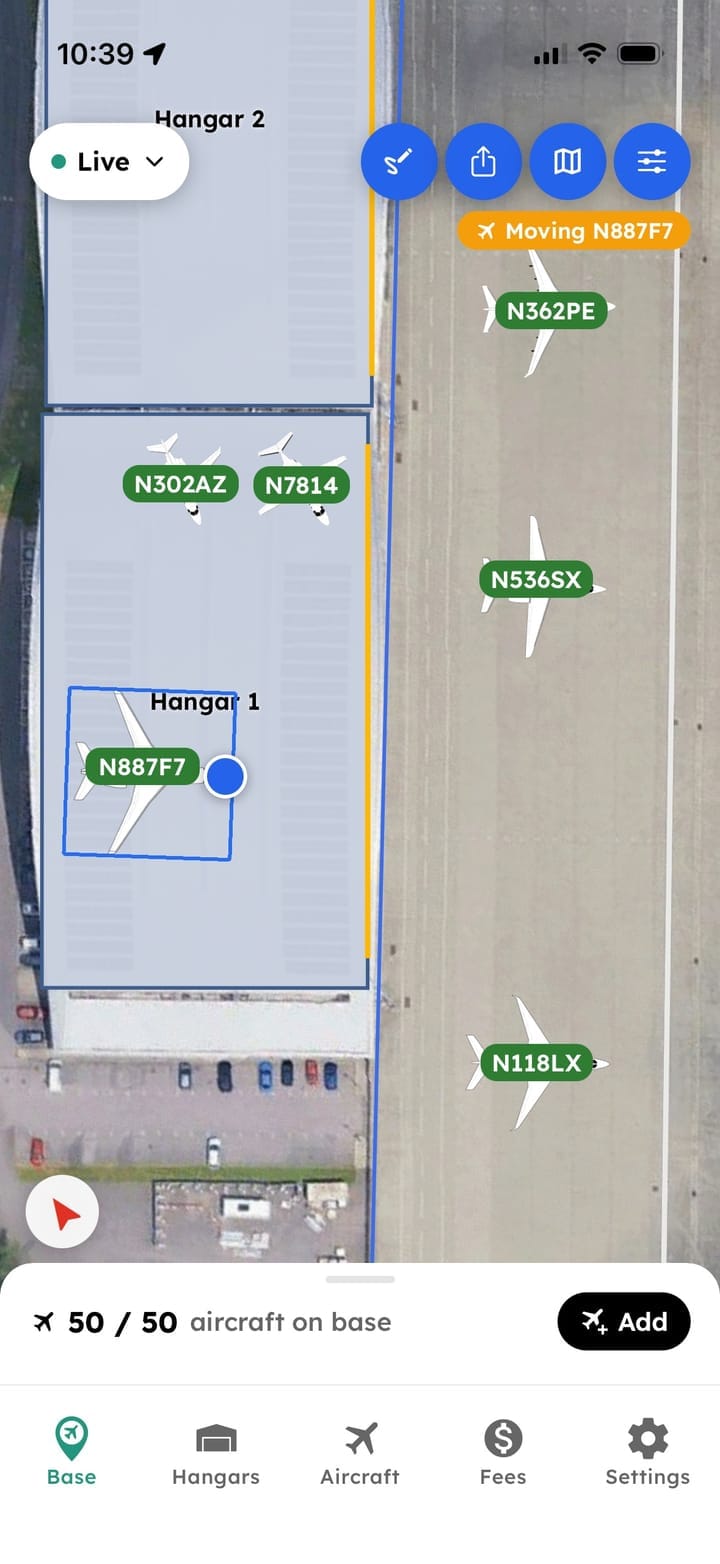
You're on the phone and somebody wants to know if you can take a Global tonight. See what's already arriving, drop the aircraft into the hangar against its verified dimensions, and answer while they're still on the line. The layout everyone works from that evening is the one you approved on the call.
- Hangar and ramp in one view of your base
- Fit checked against the airframe's own dimensions
- Tenant and transient distinguished
- Departure order accounted for when stacking
02Fill the hangar
Fit one more aircraft in the hangar you have
AutoStack lays out the whole arrangement at once, not one aircraft at a time, so the hangar fills to what it can genuinely hold. Most operations stack conservatively because guessing wrong means moving everything again at midnight. On a full night, one more airframe inside is a hangar fee you were leaving on the ramp.
- A complete arrangement proposed in seconds
- Utilization shown for the stack in front of you
- Compare options before committing to one
- Re-stack when the day changes, without starting over
03Move it safely
Standardize towing across the whole team
The person moving a Gulfstream at 05:00 gets the procedure for that aircraft on their phone, including the steering limit for the turn they're about to make. It's the same procedure whether they've been on the line eleven years or eleven days. The record of the move writes itself.
- Aircraft-specific tow checklists
- Steering and tow limits shown against the move
- Every move logged by person, aircraft and time
New damage report · N496X
Moderate · front tire damage
04Document condition
Incoming damage, captured before it becomes yours
A week later, damage that arrived and damage you caused look identical, and the argument goes to whoever sounds more certain. The difference between a claim you absorb and one you can answer is a photograph somebody took on arrival. Thirty seconds, on a phone or tablet, at the aircraft.
- Attach photos and videos to the aircraft record
- Alerts to the people who need to know
- Searchable history months later
05Hand the shift over
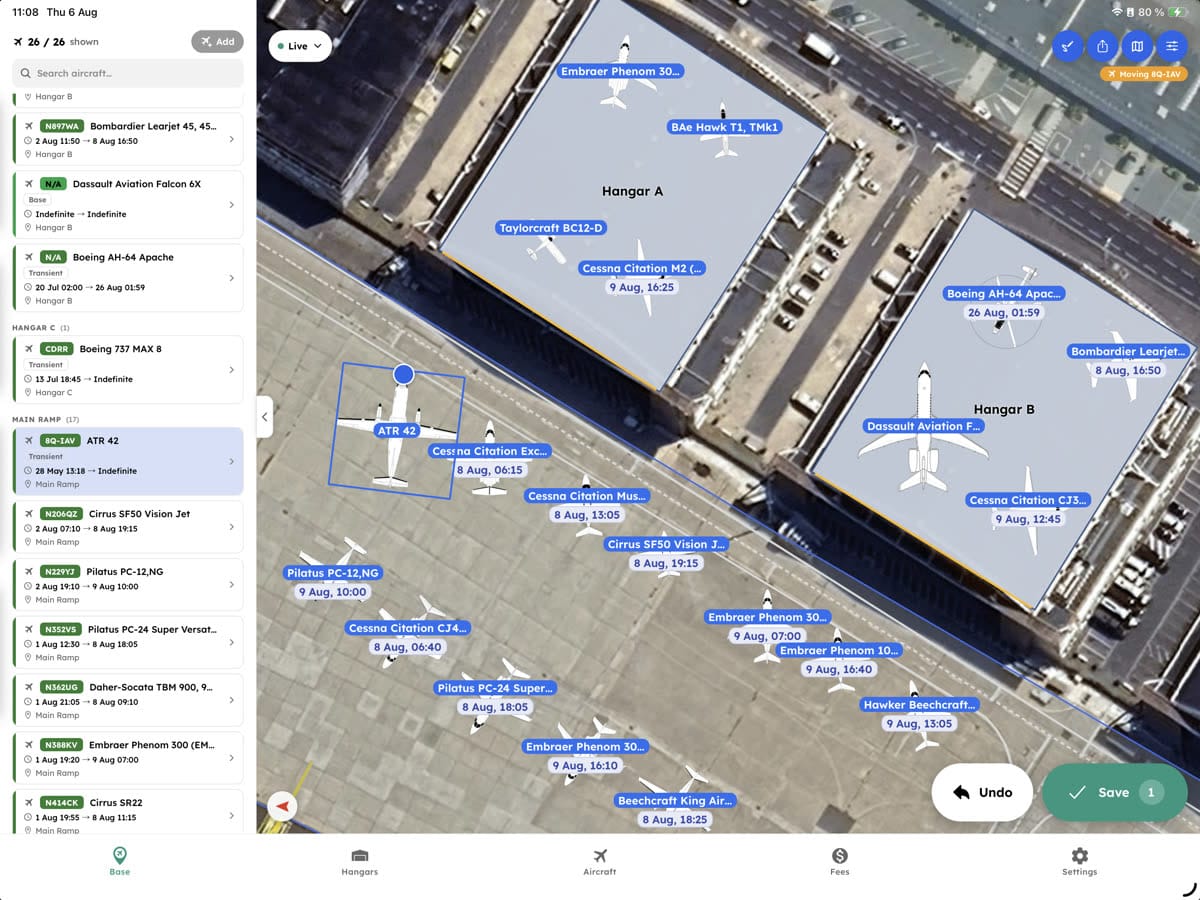
The same picture at the desk and on the ramp
CSRs answering the phone and line techs out on the ramp are looking at the same thing. When the plan changes it changes for everyone at once, which means the 06:00 shift walks in and reads the operation off a screen. Nobody has to remember to tell them.
- Exact location and current status
- A CSR can find any aircraft on the field in seconds
- Know where each aircraft is
- Updated in real time
Connect
No double entry
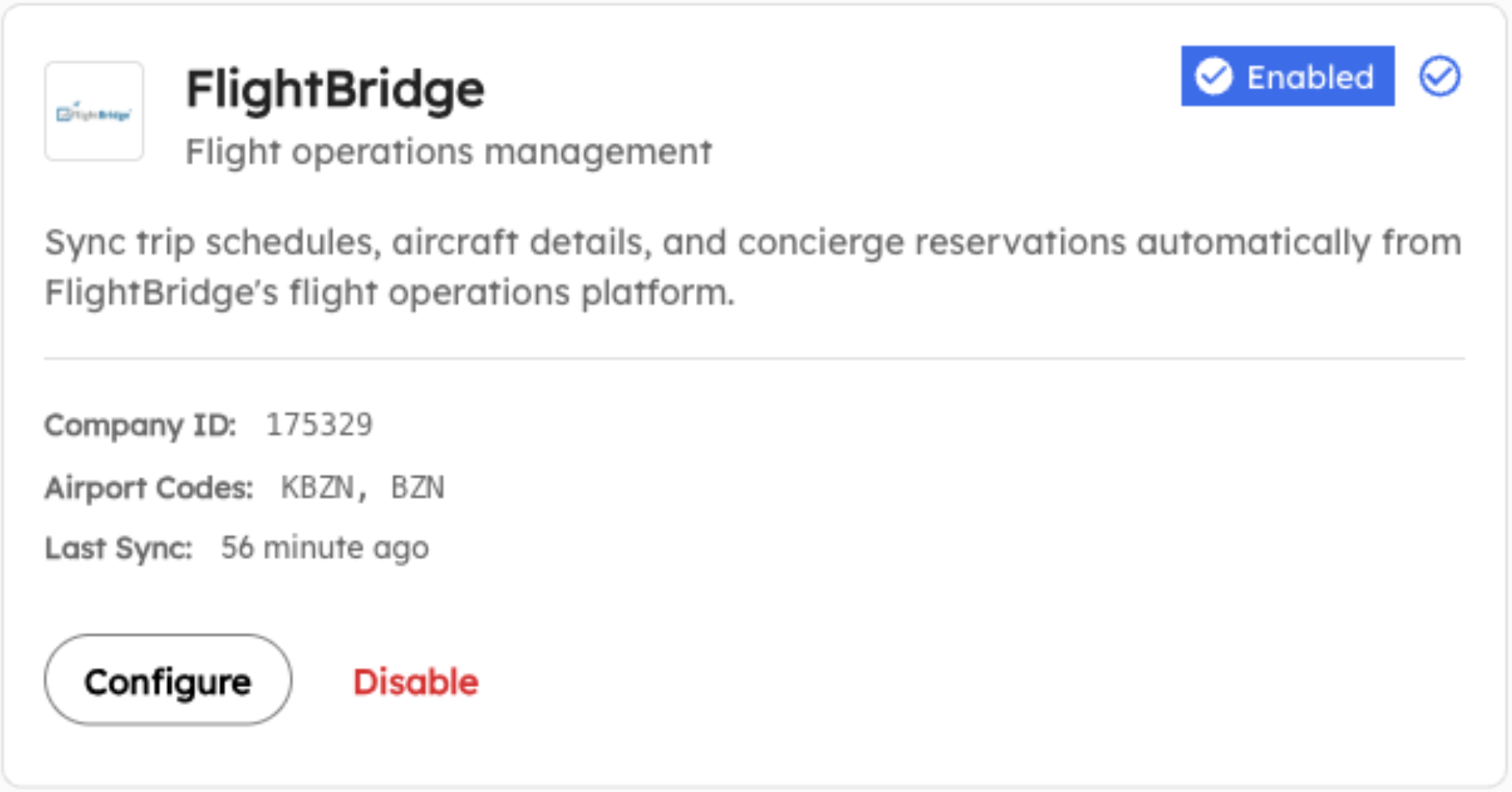
FlightBridge feeds scheduled trips and aircraft details straight into AirPlx, so tomorrow is already in the plan when somebody opens it. Nobody types the same arrival into two systems, and nothing goes stale because one of them was updated and the other was not.
- Syncs with FlightBridge in real time
- We can pull from the other systems you run
- Excel and CSV import and export
What it replaces
The system most FBOs are running on.
- A whiteboard rebuilt every morning
- Printed layouts that go stale by lunchtime
- Paper tow sheets that never reach the office
- The one person who knows how the hangar really works
Getting started
Nothing for your IT team to do.
There's nothing to install and no server to stand up. We build your hangars from your real dimensions, import the schedule you already keep somewhere else, and most FBOs are operational within 1-2 days. Users are unlimited, so the line team is in it too. That's not generosity, it's the only way this works: a planning tool the crew can't open is a whiteboard with extra steps.
- Your hangars and ramp built from your real dimensions
- The schedule you already keep, imported before you start
- Every CSR and line tech included, at one flat rate
- A missing aircraft added the same day you ask
Next
Frequently asked questions
How long does it take to set up AirPlx for our FBO?
Most FBOs are fully operational within 1-2 days. We handle the aircraft database setup, import your existing schedules, and train your team. Our onboarding specialists work with you to customize the platform for your specific ramp and hangar layouts.
What aircraft are supported?
AirPlx includes accurate dimensions for 1,000+ aircraft models, from light singles to the largest business jets and turboprops. If an aircraft isn't in our database, we can add it same-day with verified specifications.
How does pricing work?
We offer simple, transparent pricing based on your operation size. Plans start at a flat monthly rate with no per-user fees, so your entire team can access AirPlx. Contact us for a custom quote based on your specific needs.
Can AirPlx integrate with our existing systems?
Yes. AirPlx integrates with popular FBO management systems, scheduling tools, and can import/export data via CSV. We also offer API access for custom integrations with your existing workflow.
What happens when schedules change last-minute?
AirPlx excels at handling changes. When an arrival time shifts or a new aircraft books, the system instantly recalculates conflicts, suggests adjustments, and notifies relevant team members. No more scrambling.
Is our data secure?
AirPlx uses bank-level encryption, enterprise-grade security, and regular security audits. Your operational data is stored securely and never shared with third parties.

Book a demo
What does your worst night look like?
Tell us and we'll build it: your hangars, your aircraft, the evening everything lands at once. Most FBOs are live in 1-2 days.